


HD Video Recorder screenshots (5)

Description HD Video Recorder
What defines a truly functional mobile video recorder beyond basic capture? HD Video Recorder by Turbo G&A positions itself as a utility-focused tool within the video player & editor category, prioritizing operational simplicity and specific recording controls over creative editing. Version 7.5 refines this approach, centering on a streamlined user experience for capturing footage directly from the device.
Core Functionality and User Interface
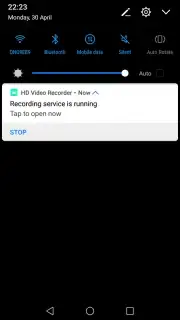
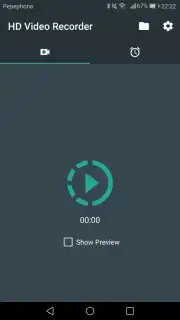
The application's primary mechanism is built around a one-touch recording initiation. The interface employs a minimalist design that reduces on-screen elements to essential controls, notably a prominent record button. Pausing an active recording is facilitated through a dedicated notification shade toggle, allowing the process to be suspended without switching back to the main application window. This design philosophy minimizes interaction steps, aiming to reduce latency between the user's intent to record and the actual capture commencement.
Distinctive Recording Mode and Configuration
A defining operational feature is the picture-in-picture recording window. Upon starting a capture, the live preview condenses into a movable, persistent overlay. This window remains visible atop other applications, permitting device navigation, app switching, and general use while recording continues uninterrupted. This functionality is engineered for scenarios requiring reference material or continuous capture during other smartphone tasks.
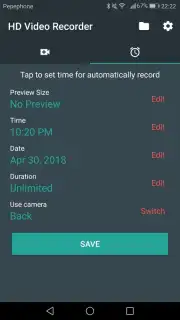
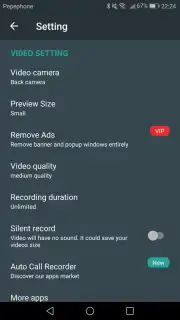
The application provides a suite of pre-capture configuration parameters. Users can select video resolution and quality presets, which directly impact file size and detail. Additional settings include defining a maximum recording duration timer, toggling between front and rear cameras, and enabling or disabling audio capture entirely. These controls are grouped in an accessible menu, allowing adaptation for different recording requirements, from lengthy lectures to quick, mute visual captures.
Assessment of Features and Practical Use
- Provides configurable video quality settings and a customizable maximum recording duration limit.
- Enables seamless switching between front and rear cameras with audio capture toggle.
- Features a persistent, movable picture-in-picture window for recording during other phone use.
- Operates via a one-touch record interface with pause control via the notification panel.
- Focuses on core recording utility within a minimalist, advertisement-free interface design.
This is a limited-time opportunity for exclusive access to the ad-free utility of version 7.5. Download the HD Video Recorder mobile app now to implement its streamlined capture system today only.
Disclaimer: Application functionality requires an internet connection for initial download and potential updates. The developer, Turbo G&A, may offer in-app purchases. Use of the camera and microphone requires user permission. Data usage applies during download and operation. Please check your device compatibility and relevant age restrictions according to your local app store guidelines.
Information
| Version | 7.5 |
| Developer | Turbo G&A |
| Requirements | Android Android + 6.0+ |
| Updated | 17.03.2026 |
| Size | 22.56 MB |
| Package | com.camera.recorder.hdvideorecord |
| Signature | e89b158e4bcf988ebd09eb83f5378e87 |
| Architecture | armeabi, armeabi-v7a, x86, arm64-v8a, x86_64 |


