

HeadSet Controller screenshots (7)
Description HeadSet Controller
What if your headset's buttons could do more than just play and pause?
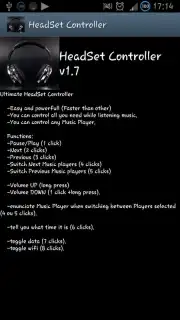
HeadSet Controller transforms the standard wired or Bluetooth headset into a versatile remote for your Android device. This utility app redefines the functionality of your headset's inline remote, allowing you to assign custom actions to single, double, and long presses of its buttons. It moves beyond basic media control, enabling you to launch applications, toggle system settings like flashlight or Wi-Fi, control your camera shutter, or even execute specific tasks with a simple click. It is designed for users who seek to streamline device interaction without needing to physically handle their phone, offering a layer of convenience and personalized control that the default Android system often lacks.
Core Functionality and Customization
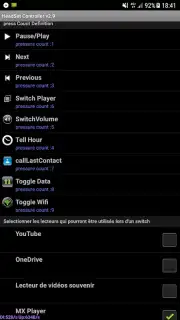
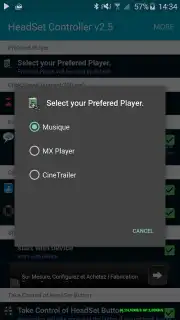
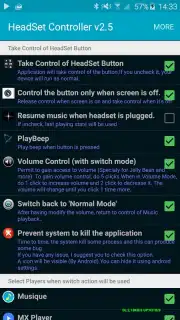
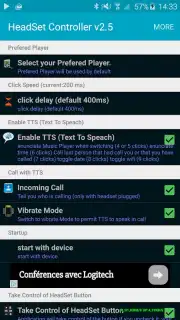
The app operates by intercepting the standard media button signals from your headset and redirecting them to user-defined commands. The setup process involves a straightforward configuration panel where you can map different button press patterns to a wide array of actions. The primary mechanics revolve around creating these personalized profiles, which can be tailored for different scenarios—such as a profile for commuting, one for workouts, and another for photography. The interface, while functional, prioritizes utility over flashy visuals, presenting a clear list of assignable actions and current mappings. Performance is focused on low-latency response, ensuring that your configured action triggers instantly upon pressing the headset button, with minimal battery impact due to its efficient event-driven design.
Key Advantages of the Controller
The principal strength of HeadSet Controller lies in its deep customization and utility, turning a simple piece of hardware into a powerful productivity tool. The user experience is built on granular control, allowing for a level of device automation that feels intuitive and physically connected.
- Extensive Button Remapping: Assign launch, toggle, and system actions to single, double, and long press events.
- Scenario-Based Profiles: Create and switch between custom control setups for different activities or applications.
- Broad Hardware Compatibility: Works with most wired headsets with inline remotes and standard Bluetooth media devices.
- Low-Resource Operation: Runs efficiently in the background, consuming minimal battery and system memory.
- No-Root Accessibility: Implements advanced functionality without requiring root permissions on your device.
We suggest trying HeadSet Controller to unlock the latent potential of your everyday headphones and add a layer of hands-free convenience to your routine.
Download the mobile app now.
Disclaimer: This application requires a compatible headset with media controls and a stable connection. Some advanced features may depend on your specific Android version and device manufacturer's OS implementation. The app may require permissions to access certain device functions to execute configured commands. Use of this app with Bluetooth devices will consume additional battery power. Please be aware of your surroundings when using hands-free controls. The developer is not responsible for any hardware incompatibility or unintended device behavior.
Information
| Version | 2.9 |
| Developer | DaneZ |
| Requirements | Android Android + 4.1, 4.1.1+ |
| Updated | 17.03.2026 |
| Size | 8.42 MB |
| Package | com.danez.headphonecontroller |
| Signature | d9fed166dc3ca4c0251a292e120e6f30 |
| Architecture | universal |


