


Hide it Pro screenshots (8)



Description Hide it Pro
Your Private Digital Vault, Disguised in Plain Sight
Imagine needing to hand your phone to a friend for a moment, but a wave of anxiety hits. What if they stumble upon something private? Photos, videos, personal documents, or even certain apps you'd rather keep discreet. This isn't about having something to hide from the world; it's about maintaining your personal space in a device that holds your life. Hide it Pro solves this with a brilliantly simple concept: the best place to hide something is where no one would ever think to look. This app doesn't just lock files away in a vault; it builds an entire secret room behind a completely ordinary door.
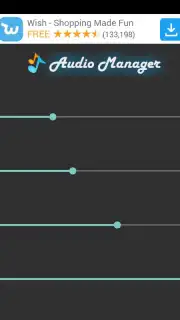
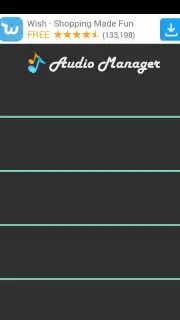
The core experience begins with a masterful disguise. Upon installation, your device simply shows a new, fully functional audio manager tool. To anyone glancing at your screen, it's just another utility app for adjusting ringtones and volumes. The magic happens when you press and hold the app's icon for a couple of seconds. This secret gesture is your key, seamlessly transporting you from the mundane audio manager into the powerful Hide it Pro vault. This first layer of security operates on psychological misdirection, making your private data invisible by not appearing to exist at all.
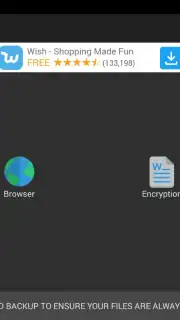
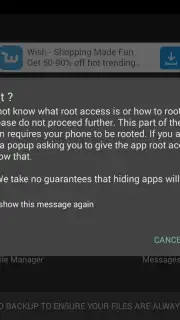
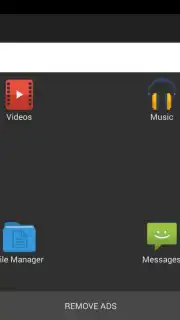
For an added fortress of security, you immediately set a custom numeric password. This means even if someone accidentally discovers the secret gesture, they face a second, impenetrable gate. Behind this password, you gain total control. You can import and securely encrypt photos, videos, music files, and documents, shielding them from gallery scans and file explorers. The app also offers advanced functionality for concealing entire application icons from your device's app drawer, though this specific feature requires root access for full system integration. For the vast majority of users, the robust media hiding and password-protected vault work perfectly on any standard Android device.
- Masterful Audio Manager Disguise conceals the app's true purpose from anyone viewing your device.
- Secret Gesture Activation unlocks the vault by a long-press, leaving no obvious entry point.
- Custom Numeric Password Protection adds a second mandatory layer of security to your private vault.
- Comprehensive Media Encryption for photos, videos, and audio files, hiding them from system scans.
- Advanced App Hiding Functionality available for users with rooted devices to conceal application icons.
Stop compromising your privacy for convenience. Transform a part of your phone into a secure, secret compartment that no one else can access or even find. Get your personal vault today and experience true peace of mind.
Download Hide it Pro now and claim your private space.
Heads up: The advanced app-hiding feature requires a rooted device. All core media protection features work perfectly without root. A stable connection is recommended for initial setup and any backup functions you choose to use.
Information
| Version | 8.8.0 |
| Developer | ANUJ TENANI |
| Requirements | Android Android + 6.0+ |
| Updated | 17.03.2026 |
| Size | 19.28 MB |
| Package | com.hideitpro |
| Signature | f10d33478de40765a0d1c96f9ec93334 |
| Architecture | armeabi-v7a, arm64-v8a |


