

HUAWEI AI Life screenshots (12)








Description HUAWEI AI Life
A Central Hub for Your Huawei Ecosystem
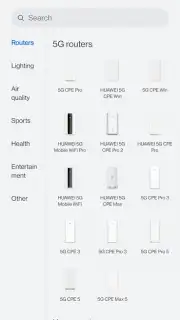
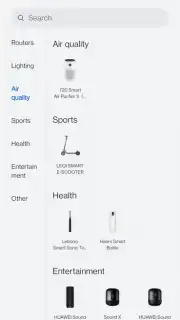
For users invested in the Huawei ecosystem, managing a growing collection of smart devices can become a fragmented experience. The HUAWEI AI Life app addresses this by functioning as a unified control panel, transforming your smartphone into the central command center for a wide array of compatible hardware. It moves beyond simple connectivity, aiming to unlock deeper functionality and provide a cohesive overview of your personal network, from routers purifying your home's air to the e-scooter waiting for your commute. This review examines how the app consolidates control and extracts enhanced utility from each synced device.
Core Functionality and Setup Process
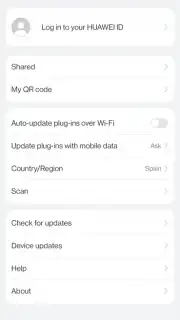
The application requires a Huawei account for full operation, which acts as the secure backbone for device pairing and data synchronization. The initial setup is guided, with context-sensitive prompts that adapt based on the device you are adding—be it a speaker, smart bulb, air purifier, or router. This process ensures that even less tech-savvy users can integrate their gadgets without confusion. Once logged in, the primary interface presents a clean, aggregated view of all managed devices, allowing for individual or grouped controls. A significant advantage is the absence of intrusive advertising, creating a focused environment for device management.
Detailed Device Management and Insights
Where HUAWEI AI Life distinguishes itself is in the depth of control and information it provides for each connected product. Syncing a Huawei router, for instance, doesn't just add it to a list; it grants you a network dashboard. Here, you can monitor all connected devices, analyze real-time data usage per device, perform speed tests, and even execute a remote reboot—all without touching the physical hardware. Similarly, pairing audio devices like headphones or speakers provides precise battery level monitoring and often unlocks advanced sound customization profiles not accessible via standard Bluetooth settings.
The app serves as a repository for extended features and tutorials, ensuring you can explore the full potential of your devices. For example, an electric scooter's profile might include ride history, firmware updates, and lock controls, while smart lighting setups can be managed with schedules and scenes. This transforms standalone products into interactive, manageable assets.
Key Features of HUAWEI AI Life
- Serves as the official unified control center for Huawei routers, speakers, air purifiers, and e-scooters.
- Provides detailed, per-device dashboards showing status, battery levels, and data consumption.
- Enables remote management tasks like rebooting network hardware or locking smart vehicles.
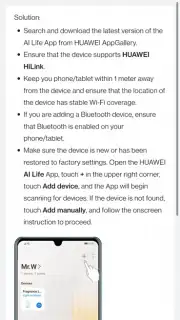
- Offers step-by-step synchronization guides and access to device-specific advanced settings.
- Unlocks enhanced features and customization options not available through standard connections.
We suggest trying HUAWEI AI Life if you own multiple Huawei devices and seek a streamlined, powerful management tool. Consider downloading it to consolidate control and discover hidden functionalities within your existing tech ecosystem.
Heads up: you'll need wifi for most features. Some cool stuff is extra.
Information
| Version | 15.1.4.320 |
| Developer | Huawei Technologies Co., Ltd. |
| Requirements | Android Android + 8.0+ |
| Updated | 17.03.2026 |
| Size | 168.78 MB |
| Package | com.huawei.smarthome |
| Signature | 7bf32cb332a1789f4744b18d38703c79 |
| Architecture | armeabi, arm64-v8a |


