

IN Launcher screenshots (10)



Description IN Launcher
A Comprehensive Review of IN Launcher for Android Customization
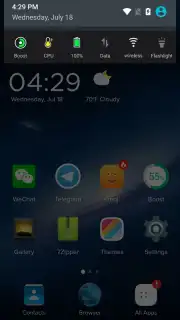
IN Launcher represents a significant entry in the Android personalization space, offering a high degree of home screen control within a notably lightweight application footprint. This review examines its core mechanics, feature set, and practical implementation for users seeking to overhaul their device's interface without compromising system performance. The launcher operates on the principle of centralized customization, providing direct access to its tools from the primary home screen panel.
Core Functionality and Feature Analysis
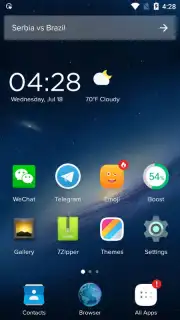
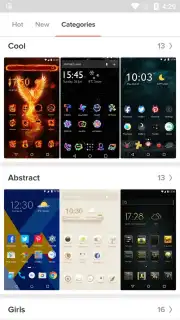
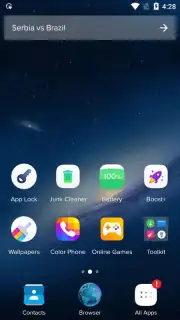
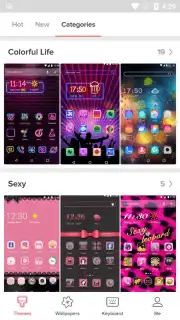
The application installs with a default home screen configured as a command center, featuring dedicated shortcuts to its main customization modules. Tapping the 'Themes' shortcut launches a categorized gallery interface, presenting over one hundred distinct visual themes. These are systematically organized, allowing for efficient browsing and one-tap application. A separate 'Emoticons' section houses a library exceeding one thousand unique stickers and emoticons, formatted for direct use in major messaging platforms including WhatsApp, Telegram, LINE, Facebook, and Instagram. Beyond aesthetics, the launcher includes a rarely seen feature: the ability to modify the visual layout and style of the incoming call screen.
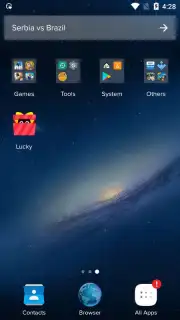
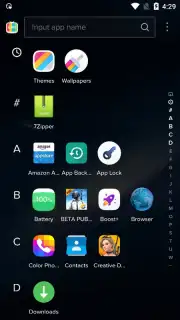
From an organizational standpoint, IN Launcher implements an automatic app sorting system, categorizing installed applications into folders based on type. This automatic grouping can be manually overridden, with options to reorder, create custom folders, hide applications from the drawer entirely, or secure them behind a password or PIN lock. Performance is a noted focus; the application maintains a download size under 15 MB and integrates a weather forecast widget directly into the device's status bar for at-a-glance information. The developer notes an ad-free experience is available through an optional 'Turbo' mode.
Detailed Feature Breakdown
- Access a categorized gallery with over one hundred distinct visual themes for complete home screen transformation.
- Utilize a library of more than one thousand emoticons and stickers compatible with WhatsApp, Telegram, and Instagram.
- Automatically sort all installed applications into logically grouped folders with full manual override capabilities.
- Enhance privacy by hiding apps or securing access to them with a password or PIN lock feature.
- View an integrated weather forecast widget within the status bar without occupying home screen space.
Download this mobile app now to directly control your device's interface and functionality. Do not wait to transform your Android experience—get it immediately!
Heads up: you'll need wifi for most features. Some cool stuff is extra.
Information
| Version | 1.3.8 |
| Developer | Launcher Group |
| Requirements | Android Android + 4.1, 4.1.1+ |
| Updated | 17.03.2026 |
| Size | 22.53 MB |
| Package | com.emoticon.screen.home.launcher |
| Signature | 924bb8016af437b28fd9c5b3c480b52d |
| Architecture | armeabi-v7a, arm64-v8a |


