

InstaSave screenshots (8)


Description InstaSave
Imagine you're scrolling through Instagram and you see the perfect video—a hilarious clip, a crucial tutorial, or a stunning travel moment. You want to save it to your phone to watch anytime, share with a specific friend, or even repost it to your own story. But there's no direct download button. This is the exact moment InstaSave was built for. It transforms your Instagram browsing from a passive experience into an active media library, putting you in full control of the content you love.
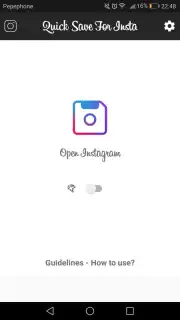
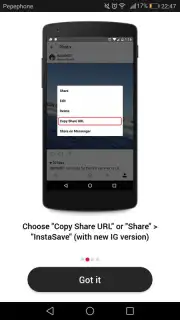
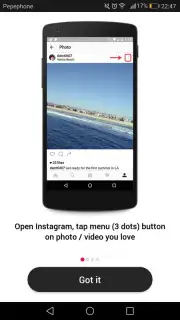
InstaSave is a dedicated utility tool that integrates seamlessly with your Instagram usage patterns. The core functionality operates on a simple copy-and-paste mechanism: when you find any public Instagram post, reel, or story, you copy its link from the share menu. Upon pasting that link into the InstaSave application, the service immediately parses the content. You are then presented with a clear, technical choice between downloading the high-resolution video file or the full-quality image directly to your device's local storage.
Core Functionality and Operational Modes
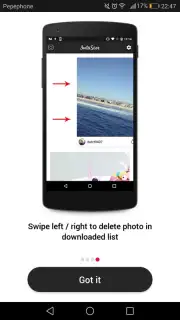
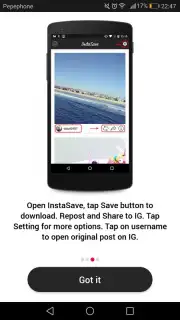
Beyond the basic download, the app provides direct sharing pathways. Once content is saved, you can instantly share it via any other application on your phone, such as messaging platforms or cloud storage, without ever returning to Instagram. For content you wish to redistribute on Instagram, the app facilitates a streamlined repost workflow, preparing the media for quick upload to your own story or feed. For content management, a simple swipe-left gesture in your download history permanently deletes files from the app's local cache.
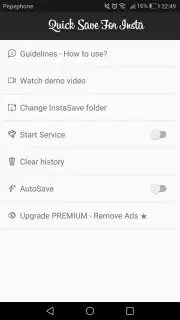
For users seeking maximum efficiency, InstaSave offers an automatic download mode. When this mode is activated within the settings, the act of pasting an Instagram link triggers an immediate download of the media to a default folder, bypassing the manual selection screen entirely. This creates a near-instantaneous save operation, ideal for rapid collection of multiple pieces of content.
- Save Instagram videos & photos
- One-tap repost to your profile
- Swipe-to-delete download history
- Automatic background download mode
This level of streamlined media control is typically a premium feature, but for a limited time, new users can access the full, ad-free Turbo experience. This exclusive offer unlocks uninterrupted, high-speed downloads and advanced sharing options today only. Don't just watch content—capture and command it.
Download the InstaSave mobile app now and activate your exclusive Turbo access before this offer expires!
Disclaimer: InstaSave requires a stable internet connection for downloading content. This app is not affiliated with, endorsed by, or sponsored by Instagram. It is designed for saving publicly available content for personal use. Users must comply with Instagram's Terms of Service and respect all copyrights. The app may contain optional in-app purchases for premium features. Data usage applies when downloading media. Use of this app is intended for users aged 13 and over.
Information
| Version | 2.1.7 |
| Developer | UptoDownload |
| Requirements | Android Android + 4.0.3, 4.0.4+ |
| Updated | 17.03.2026 |
| Size | 4.04 MB |
| Package | dsinsta.tool.save |
| Signature | e89b158e4bcf988ebd09eb83f5378e87 |


