


invideo AI screenshots (11)



Description invideo AI
What if creating a compelling video was as simple as describing it?
The promise of AI-powered video creation is often mired in complexity, requiring technical skill or expensive software. The invideo AI mobile app directly addresses this by placing a powerful, intuitive video editor in your pocket. It transforms a text prompt or a basic idea into a structured, editable video project within minutes, effectively removing the traditional barriers of time, cost, and expertise. This is not just a filter app; it's a full-scale production assistant designed for the mobile-first creator, from social media marketers to personal storytellers.
Core Mechanics and Editorial Workflow
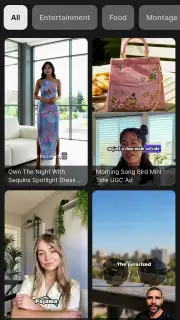
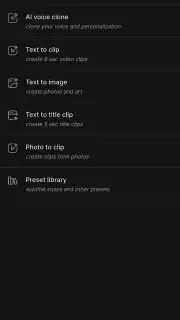
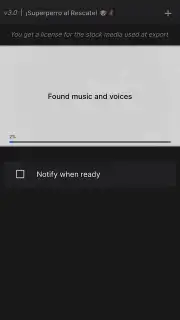
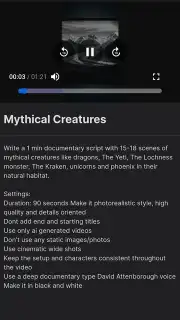
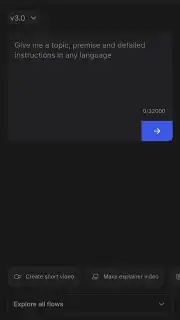
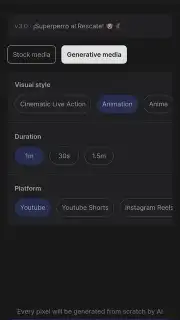
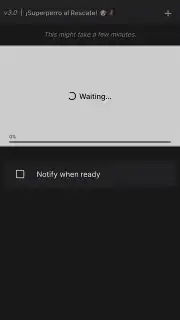
The app operates on a streamlined workflow centered on its generative AI. You begin by inputting a text prompt detailing your desired video—be it a product explainer, a travel vlog intro, or a birthday tribute. The AI then processes this request, generating a complete storyboard with a logical sequence of scenes. Each scene is populated with relevant stock footage or imagery from integrated libraries, a synchronized script displayed as on-screen text, and a complementary background music track. The true editorial power lies in the subsequent fine-tuning: every element is fully customizable. You can swap out clips from your own gallery, adjust text fonts and animations, re-record the voiceover, or trim the timeline with precision editing tools. The export process offers resolutions suitable for various platforms, ensuring the final product looks professional.
Key Advantages for the Modern Creator
The primary strength of invideo AI is its synthesis of automation and control. It handles the heavy lifting of initial assembly—arguably the most daunting part of video creation—while leaving all creative decisions in your hands. The user interface is notably clean and guided, making advanced editing concepts like layering, transitions, and audio ducking accessible. Performance is optimized for mobile, allowing for smooth preview playback and relatively fast rendering times without overburdening your device. For consistent branding, features like custom watermark uploads and saved style templates add significant value for users who produce content regularly.
- AI-Powered Script to Video: Convert a simple text description into a complete, scene-by-scene video draft with matching visuals, narration, and music in moments.
- Fully Customizable Timeline: Edit every aspect—swap clips, customize text overlays, adjust audio levels, and apply transitions with frame-accurate trimming tools.
- Professional Export Options: Render your projects in high-quality formats optimized for platforms like YouTube, Instagram Reels, and TikTok directly from your device.
We suggest trying invideo AI if you need to produce engaging video content quickly without sacrificing a professional finish. Consider downloading it to experience how AI can streamline your creative process.
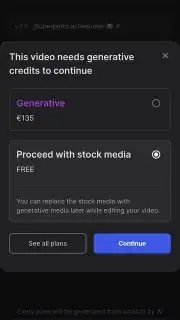
An internet connection is required for AI processing and accessing media libraries. The app may offer optional in-app purchases for premium assets or advanced features.
Information
| Version | 4.4.30 |
| Developer | invideo AI |
| Requirements | Android Android + 11+ |
| Updated | 17.03.2026 |
| Size | 38.97 MB |
| Package | io.invideo.ai |
| Signature | ae3c63afb87ffb1fb45f84645dc154e9 |
| Architecture | arm64-v8a |


