


Java Edition UI for Minecraft screenshots (5)
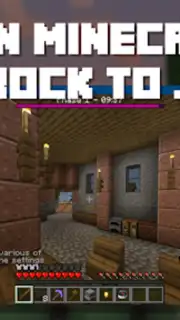
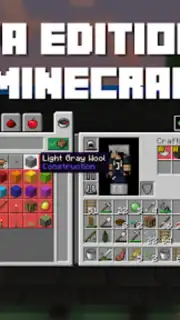
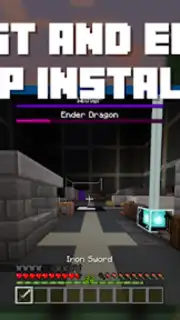
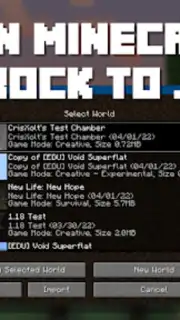
Description Java Edition UI for Minecraft
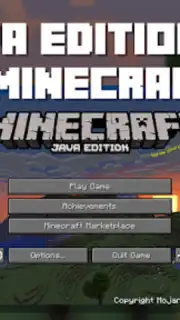
Imagine launching Minecraft Bedrock Edition and seeing the crisp, classic interface of the Java version. This is the core transformation offered by Java Edition UI for Minecraft, an application engineered to replace the default Bedrock UI with the precise visual language and layout of Minecraft: Java Edition. It provides a direct method for users who prefer the established aesthetic and functional presentation of the PC version to apply it to their mobile or Bedrock platform gameplay, creating a unified visual experience across editions.
Core Functionality and Interface Options
The application operates by providing high-fidelity texture packs that systematically reskin the game's user interface elements. This includes menus, buttons, inventory slots, health and hunger bars, and experience orbs, converting them to the exact graphical style found in Java Edition. The process is managed through a dedicated launcher interface designed for simplicity and reliability. Users are presented with multiple distinct UI packs, each offering a different balance of visual elements tailored to specific playstyles. The application ensures compatibility with the current version of Minecraft: Bedrock Edition, requiring no complex modifications to the game files itself.
Detailed Feature Set and User Workflow
Upon opening the application, users navigate a centralized hub where all available UI packs are displayed with detailed descriptions and preview screenshots. The system features a one-touch download and auto-import function; selecting a pack initiates an automatic installation process that configures the necessary resource pack files for immediate use within Minecraft. The primary customization lies in choosing between the available UI themes. The Original theme provides a pure, unaltered Java Edition interface replica. The Mixed theme offers a hybrid approach, blending some Bedrock conveniences with the Java visual framework. The PvP theme is optimized for competitive play, often adjusting element sizes and positions for clearer screen visibility and faster accessibility to hotbar items.
- Three Distinct UI Themes: Select from Original, Mixed, or PvP-optimized interface packs to match your gameplay style.
- One-Touch Installation: Download and auto-import chosen texture packs directly into Minecraft with a single action.
- Full Version Compatibility: Designed to function seamlessly with the latest stable release of Minecraft: Bedrock Edition.
- Ad-Free Operation: The core application experience is provided without disruptive advertising interruptions.
- Comprehensive Previews: Review detailed descriptions and screenshots for each UI pack before installation.
Transform your Bedrock Edition interface instantly. This tool delivers a specific, technical visual overhaul for players seeking the authentic Java Edition presentation on mobile and other Bedrock platforms. The process is streamlined for immediate results, requiring no technical expertise from the user.
Download this mobile app now and apply the Java UI directly to your game!
Disclaimer: This is an independent application for managing Minecraft resource packs. An active internet connection is required for downloading content. This product is not affiliated with or endorsed by Mojang AB or Microsoft. Minecraft is a trademark of Mojang AB. Some features or packs may be subject to in-app purchases.
Information
| Version | 2.1.6 |
| Developer | SKINS FOR MCPE |
| Requirements | Android Android + 6.0+ |
| Updated | 17.03.2026 |
| Size | 11.51 MB |
| Package | com.minecraftaddon.javaedition |
| Signature | ec59226b16d62eb315a643c576bd5ac8 |
| Architecture | armeabi-v7a, arm64-v8a, x86_64 |


