


JotterPad screenshots (6)
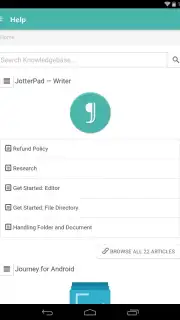
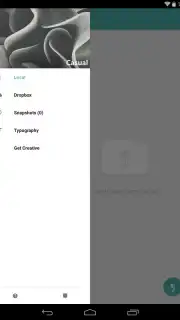
Description JotterPad
Imagine you’re about to write. Your mind is clear, your idea is forming, and then… pop-ups, cluttered toolbars, and endless settings menus invade your screen. The moment is gone. JotterPad was built to end that frustration. It’s a professional-grade writing studio designed from the ground up to provide a profoundly focused and beautifully customizable environment for every kind of writer. Whether you're dashing down a grocery list, drafting a business report, or weaving the chapters of your first novel, JotterPad delivers the powerful tools you need, wrapped in an interface that stays elegantly out of your way.
A Sanctuary for Your Words
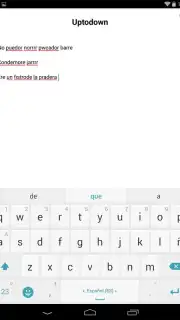
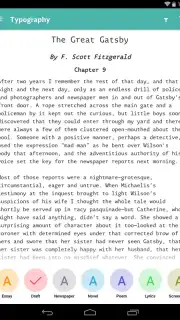
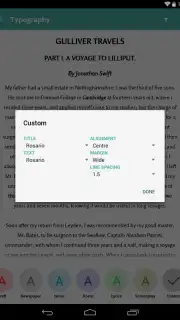
The core philosophy of JotterPad is undistracted creation. The moment you enter its full-screen writing mode, every non-essential element vanishes. You are left with only your text on a clean canvas, free from visual noise. This pure focus is powered by a robust, automatic background save function that silently preserves every single change, so you never lose a thought. Beyond this serene surface lies immense flexibility. The app provides a selection of refined default text styles to suit different purposes, from formal documents to casual notes. Its true power, however, is unlocked in the comprehensive style editor. Here, you can craft and save your own perfect formatting templates by specifying exact fonts, line spacing, margin indents, text alignment, and more. Critically, all this customization is managed outside the main writing window, keeping your creative space pristine and your workflow uninterrupted.
Engineered for Productivity
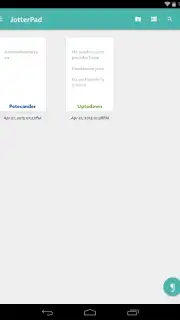
JotterPad transcends being a simple notepad by integrating advanced features that support serious writing projects. It offers seamless cloud synchronization across your devices, ensuring your work is always accessible. The editor supports rich text formatting, Markdown for those who prefer it, and provides essential tools like word count, readability statistics, and document organization through folders and tags. It’s a versatile toolkit that adapts to your task, making it equally effective for capturing a fleeting idea or structuring a lengthy, complex manuscript.
- Completely ad-free writing experience
- Fully customizable fonts and formatting
- Autosave and cloud sync capabilities
We suggest trying JotterPad to experience how a purpose-built writing environment can transform your productivity and creative flow. Consider downloading it today and turn your next idea into a finished piece.
Download the JotterPad mobile app now.
Disclaimer: This application requires an internet connection for cloud synchronization features and potential access to external services. The app may contain in-app purchases for premium features or subscriptions. Please be aware of data usage charges from your provider. Some advanced functionalities or cloud services may be subject to age restrictions according to the developer's terms. Always review the app's privacy policy for details on data collection and usage.
Information
| Version | 14.6.0-pi |
| Developer | Two App Studio Pte. Ltd. |
| Requirements | Android Android + 7.0+ |
| Updated | 17.03.2026 |
| Size | 18.03 MB |
| Package | com.jotterpad.x |
| Signature | 31d1d2466201e99bffbe8fbb81a55967 |
| Architecture | armeabi-v7a, arm64-v8a |


