


JUMP PAINT by MediBang screenshots (11)
Description JUMP PAINT by MediBang
Ever wished you could sketch your manga masterpiece anywhere, anytime?
Imagine having a professional-grade drawing studio right in your pocket. You're on a train, in a cafe, or just relaxing at home when a brilliant character design or story panel flashes into your mind. With JUMP PAINT by MediBang, you can capture that inspiration instantly and develop it with tools trusted by professional manga artists worldwide. This isn't just a sketchpad; it's your gateway to creating authentic manga, built on the same foundation used for the iconic series in Weekly Shonen Jump. Stop letting ideas fade away—start bringing your vivid stories and dynamic characters to life with precision and ease.
A Professional Manga Studio at Your Fingertips
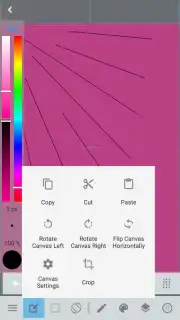
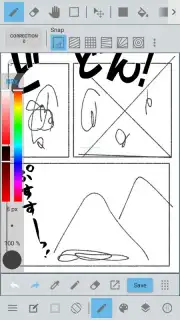
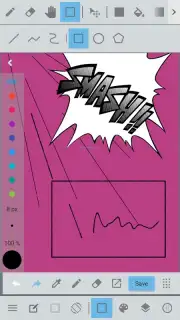
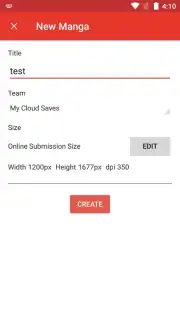
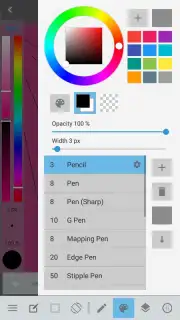
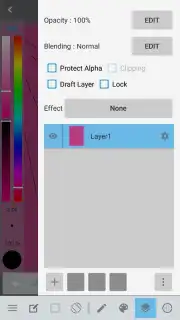
JUMP PAINT transforms your device into a comprehensive manga creation suite. You begin with a vast, customizable canvas, setting up your comic panels with guides that ensure print-ready precision. The app provides a full spectrum of professional tools: over 80 realistic brushes, including the famous G-Pen and Mapping Pen for authentic inking, and advanced tone layers to add texture, shadows, and depth exactly as you see in published manga. The vector layer functionality is a game-changer, allowing you to draw smooth, scalable lines that you can edit and adjust endlessly without losing quality—perfect for nailing those crisp, clean final lines.
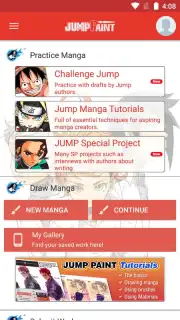
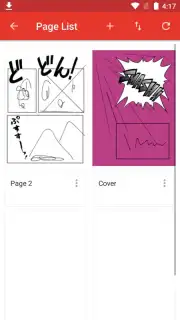
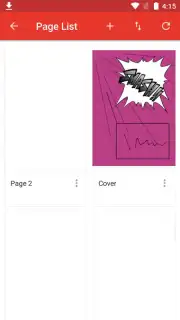
The true magic happens with features designed for the complete manga workflow. You can seamlessly write and format dialogue using dedicated text tools, ensuring your speech bubbles are perfectly integrated. The app supports multi-page management, letting you organize entire chapters, and its cloud synchronization means your work is always saved and accessible across devices. Whether you're thumbnailing a quick storyboard or applying intricate screen tones for dramatic effect, every action feels intuitive, putting the focus squarely on your creativity and flow.
Why Your Creative Process Just Got an Upgrade
- Industry-Standard Tools: Access brushes and pens developed with and used by professional manga artists, delivering authentic line quality and feel.
- Optimized Manga Workflow: From panel creation and sketching to inking, toning, and lettering, every feature is tailored for sequential art creation.
- Powerful Vector Layers: Edit and adjust your line art infinitely with scalable vector lines for flawless, professional results.
- Extensive Free Asset Library: Jumpstart your projects with a massive collection of pre-made screen tones, backgrounds, and brushes, all available for free.
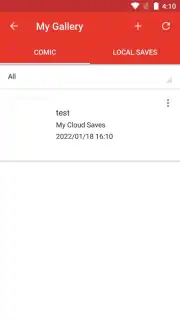
- Seamless Cloud Integration: Your projects automatically sync via MediBang's cloud service, allowing you to start on a tablet and finish on a phone without any hassle.
- Community and Learning: Connect with a global community of artists, participate in contests, and access tutorials directly within the app to hone your skills.
Stop compromising on your artistic vision with limited tools. Transform your story ideas into tangible, professional-looking manga pages today. The perfect panel is waiting to be drawn.
Download JUMP PAINT now and start your manga journey!
Requires a device running Android 7.0 or later. An internet connection is required for cloud sync, accessing the asset library, and community features. The app is free to download and use with optional in-app purchases for additional premium assets. Some features may require account registration. Data charges may apply. Please review the app's terms of use and privacy policy for details on data handling.
Information
| Version | 6.6 |
| Developer | MediBang Inc. |
| Requirements | Android Android + 7.0+ |
| Updated | 17.03.2026 |
| Size | 46.74 MB |
| Package | com.medibang.android.jumppaint |
| Signature | edd19eb627af23145f5b374e17339519 |
| Architecture | armeabi-v7a, x86, arm64-v8a, x86_64 |


