

Kanvas Keyboard screenshots (6)

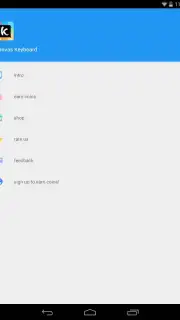
Description Kanvas Keyboard
Kanvas Keyboard Redefines Android Typing with Integrated GIF Search and On-Device Drawing Tools
The standard Android keyboard is a functional tool for text entry. Kanvas Keyboard, developed by Kanvas Labs, re-engineers this utility into a multimodal communication platform. Its core proposition extends beyond typing to integrate direct GIF search and a native image editor, positioning it as a tool for enhanced digital expression rather than a simple input method. This review examines the mechanics and implementation of its standout features to assess its practical utility.
Functional Analysis and Key Feature Implementation
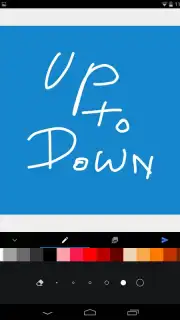
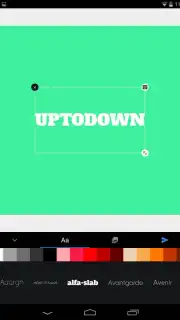
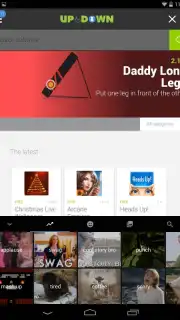
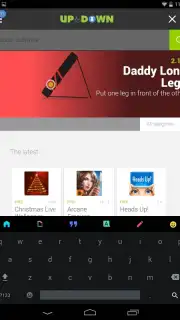
The application operates as a full replacement keyboard service. Upon activation, it presents a familiar QWERTY layout augmented by a dedicated toolbar. The most significant operational addition is the integrated GIF search tab, powered by Giphy's API. This feature requires an active internet connection to function, querying the database in real-time and allowing users to insert animated responses directly into any text field without switching applications. A separate media tab provides access to the device's local gallery, but its utility is expanded by the built-in canvas tool. This tool allows for basic image editing; users can annotate saved photos with freehand drawing or overlay text before sending. The interface maintains a neutral, dark-themed aesthetic that focuses on utility, and the developer notes the absence of display advertising within the keyboard interface itself.
The application's value is consolidated in its integration of three distinct communication modes into a single input layer.
- Direct GIF Search and Insertion: Accesses the Giphy database in real-time for instant animated image sharing in any messaging app.
- Integrated Image Editor and Canvas: Annotates local photos with drawing tools and text overlays before sending them directly.
- Advertising-Free Typing Experience: Operates without banner or interstitial ads cluttering the keyboard interface during use.
- Customizable Visual Layout: Offers theme and layout options to adjust the keyboard's visual appearance for practical readability.
- Seamless Input Switching: Allows fluid toggling between text entry, GIF search, and the drawing panel without closing the keyboard.
Start creating more dynamic conversations today. Download Kanvas Keyboard now to install this versatile tool directly from the Google Play Store.
Requires a stable internet connection for full GIF search functionality. The app is free to use and may offer optional in-app purchases for advanced themes or tools.
Information
| Version | 2.0.3 |
| Developer | Kanvas Labs |
| Requirements | Android Android + 4.0.3, 4.0.4+ |
| Updated | 17.03.2026 |
| Size | 52.44 MB |
| Package | kanvas.keyboard |
| Signature | cf9aea63c1746b027036b76bbb157a54 |
| Architecture | armeabi, armeabi-v7a, x86 |


