


MacroDroid screenshots (14)

Description MacroDroid
Streamlining Android Automation for Everyday Efficiency
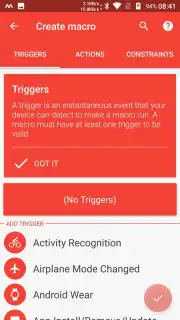
For users seeking to reduce repetitive manual interactions on their Android device, the process often involves navigating complex automation tools with steep learning curves. MacroDroid, developed by ArloSoft, addresses this by providing a structured yet flexible environment for creating automated routines, known as macros. This application functions as a visual automation assistant, allowing you to define specific triggers that, when met, automatically execute a set of actions on your device. The core mechanic is elegantly simple: an event or condition acts as a trigger, which then sets off a predefined action, effectively teaching your device to perform tasks without constant input.
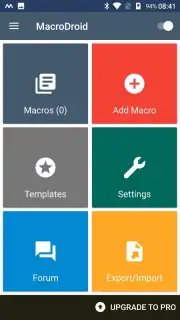
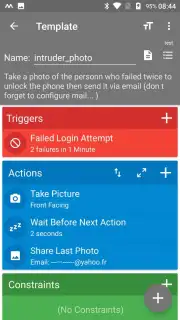
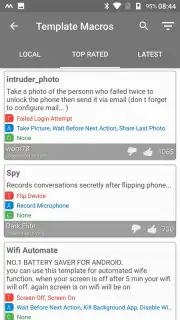
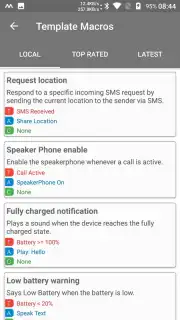
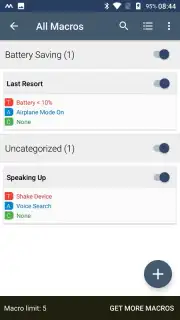
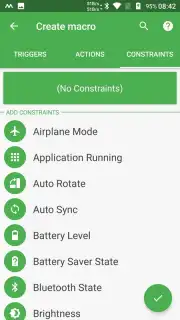
The application’s utility is best illustrated through practical scenarios. For instance, you can configure a macro where your device automatically enables power-saving mode and reduces screen brightness when the battery level falls below 15%. Beyond power management, the potential applications are extensive, covering areas like automatic Wi-Fi toggling based on location, scheduled text messages, or custom notification profiles for different times of day. The interface guides you through a three-part template—Trigger, Action, and optional Constraint—making the logic of automation accessible without requiring scripting knowledge. A notable feature is the integrated template library, where you can browse, import, and instantly activate macros shared by other users, providing immediate solutions and inspiration for your own creations.
Core Functionality and User Experience
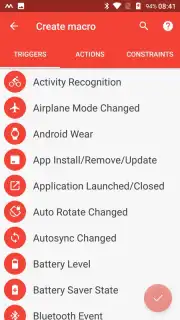
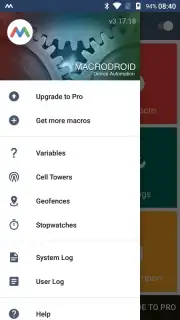
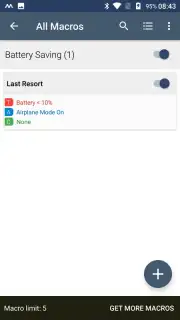
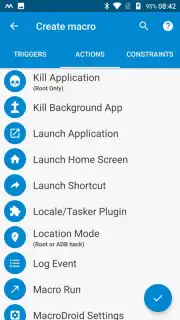
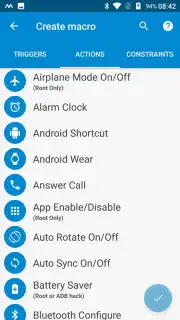
MacroDroid distinguishes itself with a balance of depth and approachability. The main dashboard serves as a control center, listing all active and inactive macros with clear toggle switches. Building a new macro is a modular process: you first select from a comprehensive list of triggers, such as time of day, device event, or sensor state; then you chain it to one or more actions like changing settings, controlling media, or interacting with other apps. The optional constraints add a layer of precision, allowing the macro to run only if certain other conditions are true, preventing unwanted automation in specific contexts.
- Visual Macro Construction: Utilizes a straightforward, block-based editor where triggers, actions, and constraints are added as tangible blocks, demystifying the automation workflow for new users.
- Community Template Library: Offers immediate access to a curated collection of user-submitted automation scripts, which can be downloaded and used as-is or modified to fit personal requirements.
- Non-Intrusive Operation: Runs efficiently in the background with minimal resource usage, executing macros reliably without displaying disruptive ads, especially for users of the Turbo version.
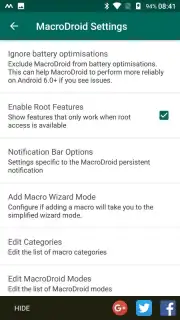
The application categorizes its vast array of triggers and actions logically, covering device settings, app control, and system functions. This organization prevents the feature set from feeling overwhelming. While the free version is fully functional, it limits the number of active macros; upgrading removes this cap and unlocks more advanced actions. The process from idea to implementation is measured in minutes, not hours, allowing for the rapid deployment of multiple automations that work concurrently to streamline daily device interaction.
We suggest trying MacroDroid to systematically automate mundane phone management tasks, freeing up attention for more important activities. Consider downloading it to experience a tangible increase in daily digital efficiency.
Internet required. IAP available.
Information
| Version | 5.66.9 |
| Developer | ArloSoft |
| Requirements | Android Android 6.0+ |
| Updated | 07.09.2026 |
| Size | 95.37 MB |
| Package | com.arlosoft.macrodroid |
| Signature | B8:F6:9E:9F:8E:E3:2E:3A:57:4F:AF:AD:E6:5B:B4:38:17:77:10:28 |
| Architecture | x86-64 |


