

Kaspersky Endpoint Security screenshots (6)
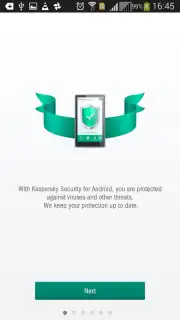
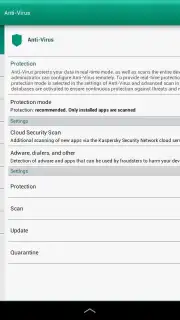
Description Kaspersky Endpoint Security
A Specialized Security Engine for the Corporate Mobile Frontier
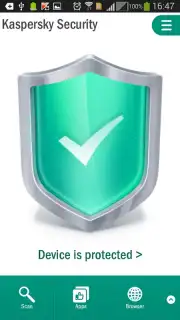
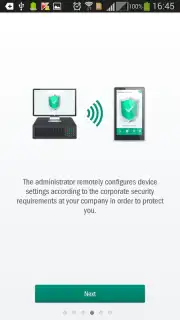
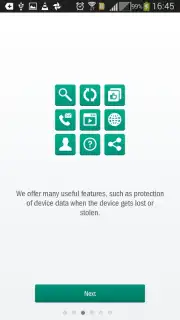
Kaspersky Endpoint Security for Android is not a casual consumer antivirus; it is a dedicated, policy-driven security agent designed explicitly for business-managed devices. This application transforms an employee's smartphone or tablet into a secured corporate endpoint, integrating it into an enterprise's broader IT security infrastructure. Its operation is contingent on IT administrator rights, positioning it as a professional tool for organizations serious about mitigating mobile risk, safeguarding sensitive data, and maintaining compliance across their fleet of devices.
Core Analysis of Enterprise-Grade Protection
The application functions as a multi-layered defensive platform. Its real-time anti-malware engine, continuously augmented by cloud-based threat intelligence, conducts persistent background scans to identify and neutralize sophisticated threats, including viruses, trojans, spyware, and risky adware. This proactive scanning is critical for catching zero-day exploits and polymorphic code that signature-based detection alone might miss. Beyond malware, the suite incorporates an Anti-Phishing module that scrutinizes web pages and application behavior during online banking sessions or payment transactions, creating a vital shield for corporate financial assets against fraudulent sites and keyloggers.
For device control and data loss prevention, the Anti-Theft system provides granular remote command capabilities. Should a device be lost or stolen, authorized administrators—or the users themselves via a web portal—can remotely locate it on a map, trigger a loud alarm, lock the screen with a custom message, or initiate a selective or complete data wipe to prevent unauthorized access to confidential information. This functionality is indispensable for maintaining data sovereignty and adhering to strict privacy regulations.
Administrative Control and Policy Enforcement
From an IT management perspective, the application serves as a powerful mobile device management (MDM) extension. The Application Control feature allows administrators to audit installed software and enforce whitelists or blacklists, ensuring only vetted, policy-compliant applications can operate on corporate devices. Compliance Control automatically verifies device settings against predefined corporate security policies, checking for elements like enabled disk encryption or the absence of jailbreak/root access, and can report or remediate violations.
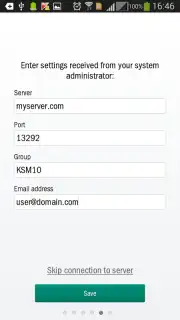
Further administrative tools include the ability to block access to dangerous or non-work-related web categories, enforce password policy complexity, and manage access to hardware features like the camera within corporate contexts. Deployment is streamlined for enterprise integration, supporting onboarding via Kaspersky Endpoint Security Cloud invitations, manual configuration using profiles provided by system administrators, or deployment through third-party Enterprise Mobility Management (EMM) consoles like VMware Workspace ONE or Microsoft Intune.
- Real-Time Cloud-Backed Protection: Leverages continuous cloud analytics to detect and block malware, ransomware, and network-based threats proactively.
- Remote Anti-Theft & Data Wipe: Enables remote device location, locking, alarm activation, and secure data deletion to mitigate physical device compromise.
- Centralized IT Policy Management: Provides tools for application whitelisting, security compliance auditing, web filtering, and password enforcement from a central console.
Download Kaspersky Endpoint Security for Android now to deploy enterprise-level security on every corporate mobile device in your organization!
Disclaimer: This application requires an active internet connection for full functionality, including cloud threat updates and remote management features. It is designed for business use and typically requires a valid corporate license or subscription (IAP) via a Kaspersky business solution. It is not intended for personal, unmanaged use. Device administrator permissions are required for core security functions. Data usage applies for updates and communication with management servers. This is a security tool for managed business devices.
Information
| Version | 10.56.1.11 |
| Developer | Kaspersky Lab |
| Requirements | Android Android + 5.0+ |
| Updated | 17.03.2026 |
| Size | 66.77 MB |
| Package | com.kaspersky.kes |
| Signature | d5a4e616a5eb7572a4b4ddc5cb590099 |
| Architecture | armeabi-v7a, arm64-v8a |


