

KK Launcher screenshots (7)
Description KK Launcher
A Launcher That Successfully Bridges Android Generations
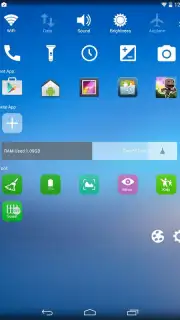
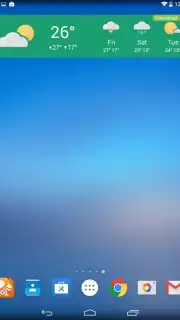
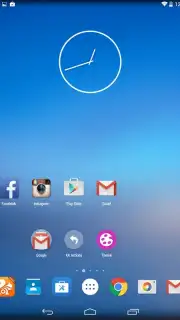
KK Launcher has evolved significantly from its origins as a KitKat-style interface. The current version, 7.2, delivers a comprehensive visual and functional overhaul that closely mirrors the design language of Android Lollipop, providing a modern user experience on a wide range of devices. This is not a superficial skin but a deeply customizable platform that transforms device interaction.
Core Functionality and Customization Analysis
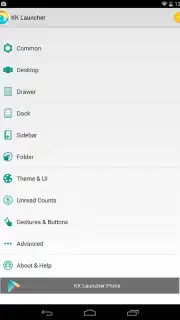
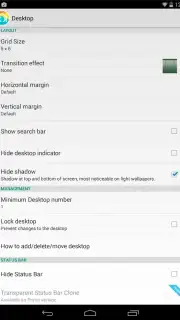
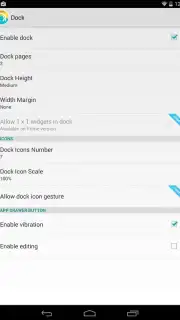
The application's primary strength lies in its extensive customization engine. Users have granular control over home screen grid dimensions, allowing precise adjustment of icon column and row counts. The dock is equally malleable, with settings for size, transparency, and the number of shortcut slots. The launcher supports full theming, enabling a complete visual reset from icons to system elements. A notable technical feature is the integrated Turbo mode, which is promoted to enhance performance and, critically, operates without serving advertisements within the interface.
Detailed Feature Implementation
The design implementation includes authentic Nexus 5 wallpapers and a notification system that displays unread counts directly on application icons. The launcher provides system-level UI modifications, including options for transparent status and navigation bars, contributing to an immersive screen experience. The overall package is engineered for stability, aiming to add utility without compromising system responsiveness.
- Modern Lollipop Design: Implements the material design aesthetics, animations, and wallpapers from Android Lollipop.
- Granular Home Screen Control: Precisely set icon grid columns, rows, and adjust dock size and transparency.
- Ad-Free Turbo Performance: An optimized performance mode that operates without displaying advertisement units.
- Enhanced Notification System: Displays unread count badges on application icons for at-a-glance information.
- Immersive UI Options: Configure fully transparent system status and navigation bars for a cleaner look.
Don't wait to modernize your device's interface. Download KK Launcher now and apply the update immediately to unlock a faster, cleaner, and highly personalized Android experience.
This application requires an internet connection for initial setup and certain features. It may offer optional in-app purchases for advanced themes or tools.
Information
| Version | 7.2 |
| Developer | KK App Team |
| Requirements | Android Android + 4.0, 4.0.1, 4.0.2+ |
| Updated | 17.03.2026 |
| Size | 6.08 MB |
| Package | com.kk.launcher |
| Signature | 6f962061ddc2e2502dadab5a59042d5e |
| Architecture | universal |


