

Launcher i6 screenshots (3)
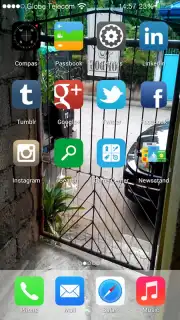
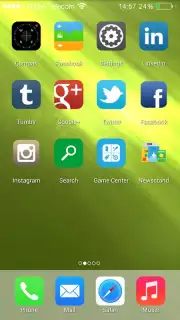
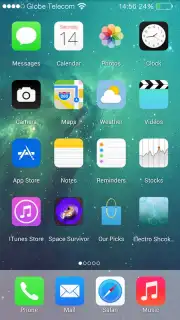
Description Launcher i6
Looking for a way to give your Android device the sleek, minimalist aesthetic of an iPhone? The Launcher i6 from Art White Apps positions itself as a straightforward solution, offering a visual iOS-style overlay for Android users. This review provides a detailed, objective analysis of its version 2.0 features to help you determine if its simplified approach aligns with your personalization needs.
Core Functionality and User Experience Analysis
Launcher i6 operates on a principle of visual emulation rather than deep customization. The primary mechanical function is the application of an iOS-inspired interface skin over your existing Android system. This includes a redesigned app drawer and a system-wide icon set that mimics Apple's design language. In practice, the launcher delivers a basic visual transformation, changing the home screen layout and general icon shapes to resemble those found on iOS. However, the operational mechanics reveal significant limitations. The settings panel offers minimal control over core launcher behaviors such as animation speed, grid size flexibility, or gesture customization. The functional scope is narrowly focused on surface-level appearance.
A notable included tool is the custom lock screen module, which is designed to visually replicate the style and notification presentation of an iPhone's lock screen. This operates as a separate overlay service. Beyond this and the fundamental icon reshaping, the launcher provides few other tangible tools or widgets for enhancing daily productivity or workflow. The experience is largely static after the initial theme is applied, with little room for iterative personalization or performance tuning that power users might expect from a robust personalization app.
Feature Set Overview
- iOS-style icon and layout transformation
- Custom iPhone-inspired lock screen
- Basic icon shape customization options
- Streamlined, minimal settings menu
For users seeking an extremely basic, set-and-forget visual change to an iOS-like appearance without navigating complex options, Launcher i6 performs that specific function. It is a lightweight tool for a singular purpose. However, for those who value extensive customization, granular control, and adaptive functionality in their device's interface, the market offers significantly more capable and versatile alternatives that provide a deeper and more satisfying personalization experience.
Get your visual overhaul and transform your Android interface today.
Download mobile app now
Requires a stable internet connection for initial download and updates. This app may offer in-app purchases.
Information
| Version | 2.0 |
| Developer | Art White Apps |
| Requirements | Android Android + 3.0.x+ |
| Updated | 17.03.2026 |
| Size | 3.97 MB |
| Package | com.simplelauncher.launcheri6 |
| Signature | 9b7ce2a52db744d74d3ecfda3e9a281c |


