

Launcher Lab screenshots (6)

Description Launcher Lab
What if your Android launcher was a blank canvas for your digital identity?
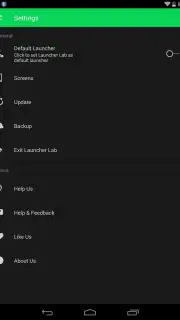
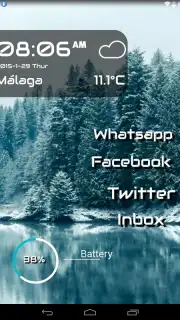
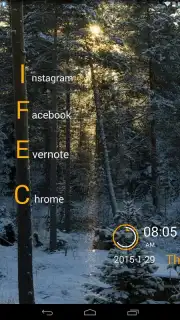
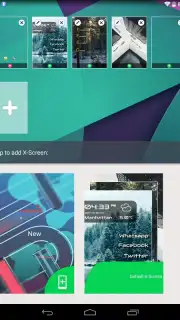
Launcher Lab positions itself not merely as another home screen replacement, but as a comprehensive design studio for your Android device's interface. The core proposition is the ability to construct a fully personalized launcher from the ground up, moving beyond simple icon packs and grid adjustments. The application provides a foundational toolkit that treats your home screen as a modular project, where every visual and interactive element is subject to your design intent. Its default state includes a variety of unique preset configurations, which serve a dual purpose: they are functional templates for immediate use and, more critically, educational blueprints that deconstruct the possibilities of the system. These presets are less about offering finished themes and more about demonstrating the mechanics of widget layering, font pairing, and spatial composition, providing a practical starting point for user experimentation.
A Deep Dive into the Customization Engine
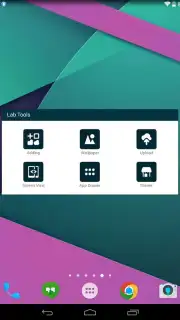
The editing suite within Launcher Lab is extensive and granular. Users gain control over a multi-layered design process, beginning with foundational elements like wallpapers and icon sets, but extending deeply into the realm of functional aesthetics. The widget system is particularly notable, not just for the ability to place them, but for the detailed customization of their size, transparency, and information density. The typography controls allow for systemic font changes, affecting clock widgets, app labels, and system information displays to create a cohesive typographic hierarchy. Furthermore, the ability to import and position custom image assets or shapes enables the creation of unique visual anchors or decorative elements, effectively allowing for the design of a completely bespoke graphical language for your device. This level of control validates the app's "Lab" moniker—it is an environment for iterative testing and refinement.
The social layer, the integrated theme sharing platform, transforms the app from a solitary tool into a community-driven repository. Once a user has engineered a launcher configuration they are satisfied with, they can package and upload it directly to Launcher Lab's internal store. This process does more than just showcase creativity; it creates a living library of design paradigms. Other users can browse, download, and reverse-engineer these shared themes, using them as new foundational templates for their own projects. This cycle of creation, sharing, and iteration significantly extends the app's utility and provides a constant influx of new ideas directly into the user's workflow.
Core Feature Analysis
- Build a completely custom Android launcher from the ground up with modular tools.
- Utilize intelligent preset configurations as functional templates or learning guides.
- Exercise detailed control over widgets, system fonts, icons, and image layers.
- Share your completed theme creations via the app's integrated public gallery.
- Access and download community-designed launcher setups for instant inspiration.
Download Launcher Lab now: Exclusive early access to premium theme-sharing features is available for the first 10,000 users today only.
Disclaimer: Launcher Lab requires an active internet connection for downloading community themes and updating the theme gallery. The app may offer in-app purchases for advanced asset packs or expanded cloud storage for themes. Data usage will apply when downloading themes or uploading your creations. This application allows deep system customization; users are advised to follow on-screen guidance carefully. Age restrictions may apply due to complexity. The developer, X Apps Team, is solely responsible for the app's content and functionality.
Information
| Version | 2.8.0.2 |
| Developer | X Apps Team |
| Requirements | Android Android + 4.0.3, 4.0.4+ |
| Updated | 17.03.2026 |
| Size | 12.6 MB |
| Package | com.gtp.launcherlab |
| Signature | 89e489c4a6d6e2e6f3cfd1ddb1ff87bf |
| Architecture | armeabi, armeabi-v7a, mips, x86 |


