

LG Backup (Sender) screenshots (5)
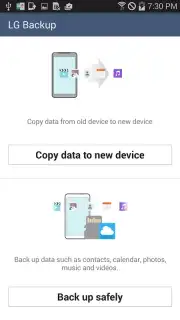
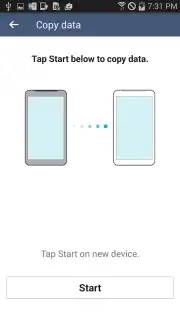
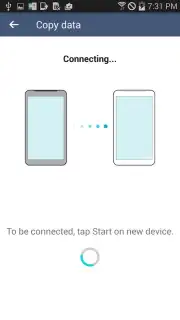
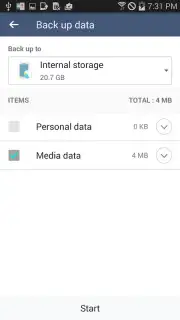
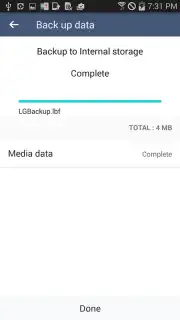
Description LG Backup (Sender)
Never Start from Scratch Again: Your Digital Life, Seamlessly Moved
Imagine unboxing that shiny new LG smartphone. The excitement is real—until you remember the daunting task ahead. Transferring your photos, messages, contacts, and everything that makes your phone yours can feel like a digital mountain to climb. What if you could skip that stress entirely? What if moving to your new LG device was as simple as a few taps, letting you pick up right where you left off? That’s the peace of mind waiting for you. This isn't just about moving data; it's about transporting your digital identity without losing a single precious memory or important conversation.
Effortless Transfer, Unmatched Compatibility
This tool understands that your life isn't confined to one brand. Your old device holds your history, and it deserves a proper send-off. That’s why the sending device can be virtually any Android smartphone, as long as it runs Android Jelly Bean or a newer version. Your trusty old phone from any manufacturer gets to fulfill one last crucial duty. The magic happens on the receiving end, where your new LG G2 or any subsequent, more advanced LG model welcomes all your data with open arms. Think of it as a universal translator for your digital belongings, ensuring nothing gets lost in translation between your old world and your new LG home.
Beyond a simple file shuttle, this application acts as a comprehensive guardian for your digital content. It doesn’t just move items; it creates a complete safety net. Before you even initiate the transfer, you can create a full backup of your old device. This means every app setting, every note, every downloaded file gets a secured copy. It’s the ultimate insurance policy against accidental loss during any upgrade process. And the best part? You can do all this in an environment completely free of disruptive advertisements, allowing for a focused and smooth transition experience.
What You Can Seamlessly Bring to Your New LG Phone
- Your Entire Social World: Transfer your complete contact list, call logs, and the full history of your text messages (SMS/MMS), so no conversation is ever left behind.
- Your Organized Life: Move all your calendar events, appointments, and reminders to keep your schedule perfectly intact on day one.
- Your Personal Gallery: Securely send every cherished photo and video from your device’s memory, preserving all your visual memories in high quality.
- Your Browser Essentials: Bring over your internet bookmarks and saved pages so your favorite sites are just a click away on your new device.
- Comprehensive Device Backup: Create a complete, full-system backup of your old Android device, safeguarding not just your files but your settings and preferences too.
- Turbo-Charged Performance: Experience faster transfer speeds for a quick, efficient setup process, getting you to using your new phone faster.
- A Clean, Ad-Free Experience: Enjoy a focused, uninterrupted data migration without any pop-ups or banner advertisements cluttering the process.
Consider downloading LG Backup (Sender) today to make your next phone upgrade the easiest one you’ve ever experienced. It’s the smart, secure, and simple way to ensure your digital life moves with you.
Download the LG Backup (Sender) mobile app now.
Disclaimer: This application requires an internet connection for initial download and for certain data transfer functions. Data usage rates may apply depending on your mobile carrier plan. The sending device must operate on Android OS Jelly Bean (4.1) or higher. The receiving device must be an eligible LG smartphone, such as the LG G2 or a newer model. Please ensure your devices are sufficiently charged and connected to a stable Wi-Fi network for optimal performance during backup and transfer operations. Always review the app permissions before installation.
Information
| Version | 4.3.05 |
| Developer | LG Electronics Mobile |
| Requirements | Android Android + 4.1, 4.1.1+ |
| Updated | 17.03.2026 |
| Size | 5.29 MB |
| Package | com.lge.mobilemigration |
| Signature | e3eac5dc8860ba5c4b393000970610df |
| Architecture | universal |


