


zFont 3 screenshots (7)

Description zFont 3
The Challenge of Android Interface Uniformity
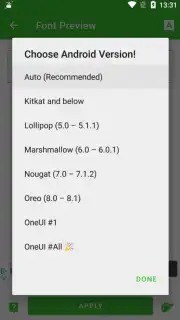
The default typography on Android devices often presents a limited visual palette, making millions of smartphones appear functionally similar despite their different hardware. This uniformity can make personal expression through one's device a technical challenge, typically requiring complex procedures like rooting. zFont 3 addresses this gap by providing a systematic method for users to modify system and application fonts without elevated permissions. The application functions as a font management hub, offering a categorized library for direct application to the device's interface, compatible with a wide range of manufacturers including Samsung, Xiaomi, and Huawei.
Core Functionality and Feature Analysis
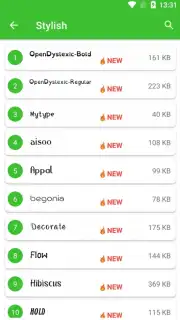
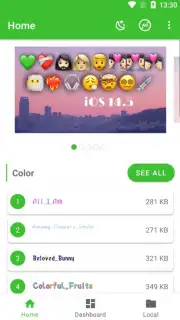
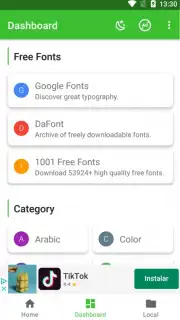
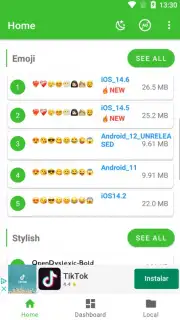
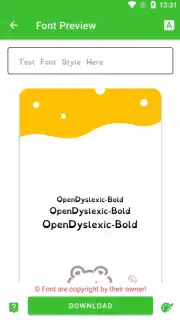
The primary operation of zFont 3 involves browsing, selecting, and applying typefaces to replace the system's default font. The interface organizes available fonts into distinct categories, streamlining discovery based on style—such as serif, script, or modern sans-serif. A notable technical feature is the integrated emoji library, which operates independently of the font engine; users can copy and paste these glyphs directly into text fields across any application. For efficiency, the app includes a bookmarking system, allowing users to flag frequently used typefaces for rapid access in future sessions.
The application differentiates its service tiers. The standard version is supported by advertising, while an optional in-app purchase, labeled "Turbo," removes advertisements and may provide additional utility features. The font application process is designed to be non-destructive and reversible, with the app handling the technical overlay modifications specific to each supported device model. This process personalizes the text rendering on system menus, keyboards, and often within third-party apps that adhere to standard font calls.
Key Advantages of the Font Customization Tool
- Provides direct access to hundreds of categorized typefaces for system-wide Android customization.
- Maintains full compatibility with major OEM interfaces from Samsung, Xiaomi, and Huawei without rooting.
- Integrates a standalone emoji library for copying and pasting into any social or messaging application.
- Features a bookmarking tool to save and quickly access your most frequently selected font styles.
- Offers an ad-free experience and potential enhanced features through a one-time Turbo upgrade.
Transform the visual language of your device and express your personal style through typography.
Download zFont 3 now and apply your first custom font in under a minute.
This application requires an internet connection to browse and download font libraries. The app is free to use with optional in-app purchases for the Turbo upgrade.
Information
| Version | 3.9.2.1 |
| Developer | Khun Htetz Naing |
| Requirements | Android Android + 6.0+ |
| Updated | 17.03.2026 |
| Size | 11.54 MB |
| Package | com.htetznaing.zfont2 |
| Signature | c8c3409d679e5f390962024e1db30222 |
| Architecture | armeabi-v7a, x86, arm64-v8a, x86_64 |


