

lmage To Text Scanner screenshots (3)
Description lmage To Text Scanner
Tired of manually typing text from images, receipts, or documents?
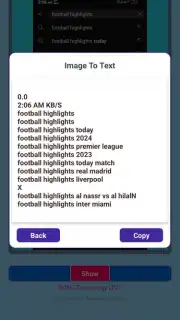
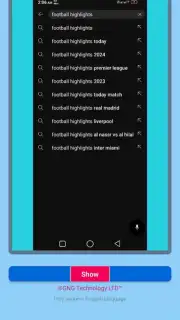
Stop wasting time retyping information. lmage To Text Scanner instantly converts any photo on your phone into editable, searchable text. Whether you're digitizing business cards, capturing notes from a whiteboard, or saving details from a printed contract, this tool turns your camera into a powerful text extraction device. Simply point, shoot, and get the text in seconds—no more tedious typing errors or lost information.
Extract and manage text with precision and ease
This app uses advanced Optical Character Recognition (OCR) technology to accurately pull text from a wide variety of image sources. Capture text from documents, handwritten notes, street signs, or product labels with high reliability. The clean, intuitive interface lets you crop your image for the perfect scan, adjust contrast for better clarity, and export the extracted text directly to your clipboard, notes app, or as a document file. It’s designed for on-the-go productivity, making information capture seamless.
Why this scanner is your new essential tool
Experience a streamlined workflow that saves you hours. The app processes text locally on your device for speed and privacy, with no unnecessary delays. It supports multiple languages for international documents and offers a built-in editor to quickly correct any minor recognition errors before you share or save. The tool is built for real-world use, performing well even with angled shots or less-than-perfect lighting, delivering the text you need when you need it.
- Instant photo-to-text conversion
- Multi-language OCR support
- Edit and export text easily
- No internet required for scans
Download now and transform your phone into a text scanner today!
Don't let another document slow you down. Join thousands of users who are simplifying their work and study. Get exclusive, ad-free access for the first week when you download now—transform how you handle text forever.
Heads up: you'll need wifi for initial download and for some cloud-based export features. Some advanced editing and batch processing tools are part of optional premium plans. Requires Android 5.0 or later.
Information
| Version | 1.0 |
| Developer | GNG Technology LTD™ |
| Requirements | Android Android + 5.0+ |
| Updated | 17.03.2026 |
| Size | 1.85 MB |
| Package | com.gngtec.imatotext |
| Signature | e1a592e5496fa14150d797c18f9c7da5 |
| Architecture | universal |


