


Lock Screen OS screenshots (7)
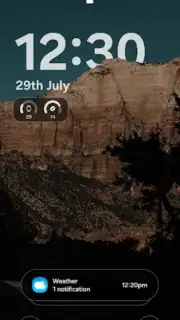
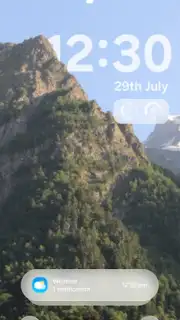
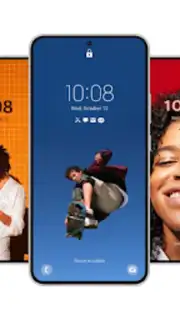
Description Lock Screen OS
Transform Your Lock Screen into a Dynamic Command Center
Imagine your Android's lock screen not just as a barrier, but as a fully interactive dashboard. Lock Screen OS replaces the static default screen with a highly customizable interface that prioritizes both aesthetics and immediate utility. It delivers a premium, fluid user experience designed to surface critical information and actions without unlocking your device, all while maintaining robust security protocols to protect your data.
Comprehensive Customization and Layout Control
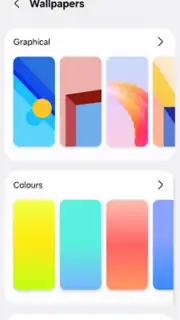
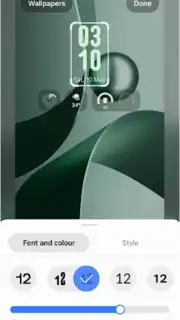
This personalization tool provides granular control over every visual element on your lock screen. Users can select from multiple clock layouts and widget configurations, adjusting their size, position, and transparency. The application includes an integrated library of high-resolution wallpapers, featuring HD and 4K images, gradients, and minimalist designs. Further customization extends to font styles, color schemes, and background blur effects, enabling the creation of a truly unique lock screen theme. The system supports custom gesture controls for launching specific actions and offers an Always On Display mode to keep key information visible while conserving battery life.
Intelligent Widgets and Proactive Security Features
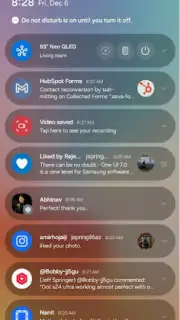
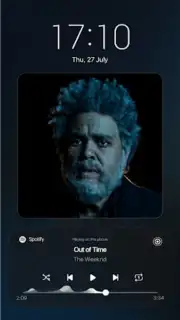
Lock Screen OS integrates dynamic widgets that display real-time information directly on the lock screen. This includes live weather updates, calendar event previews, music playback controls, and detailed battery status indicators. Smart notification handling allows for reading and interacting with messages from supported apps without full device access. For security, the app supports multiple unlock methods including pattern, PIN, password, and fingerprint authentication. Additional protective features include app-specific locking and an optional anti-theft photo capture triggered by incorrect access attempts. The overlay permission required for operation is used solely for interface display and does not involve the collection or transmission of personal user data.
Optimized Performance and Streamlined Setup
Engineered for efficiency, the application is lightweight and optimized to run smoothly on both mid-range and flagship Android devices without causing lag or significant battery drain. The setup process is streamlined: install the app, grant necessary permissions for overlay and notifications, then proceed to select your preferred style and security settings. The result is a responsive, elegant lock screen that enhances daily interaction through fluid animations and practical, at-a-glance functionality.
- Fully customizable widgets and clocks
- Smart notifications and quick actions
- Multiple secure unlock methods
Download the Lock Screen OS app now and command your device from the first glance.
Internet required. IAP available.
Information
| Version | 1.0.6 |
| Developer | TH True App |
| Requirements | Android Android + 8.0+ |
| Updated | 17.03.2026 |
| Size | 17.3 MB |
| Package | com.launcherios.ioslauncher.lockscreenios.ios26 |
| Signature | bd071bd058c0135a3c4526a3d2a4fa51 |
| Architecture | armeabi-v7a, arm64-v8a |


