

M Launcher screenshots (10)



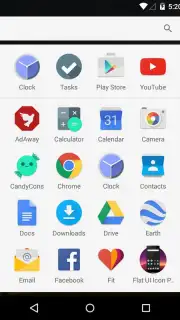
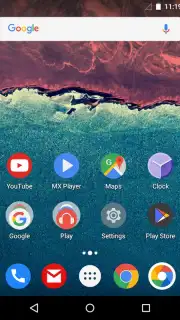
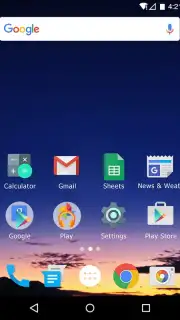
Description M Launcher
A Launcher That Prioritizes Function Over Form
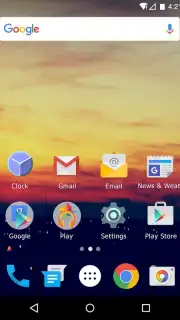
M Launcher is a system tool designed to replace your device's default home screen with an interface focused on speed, organization, and utility. It strips away visual clutter to provide a more efficient interaction layer between you and your device's core functions. This approach is not about aesthetic themes but about creating a responsive environment that reduces friction in daily smartphone use.
Core Mechanics and Operational Tools
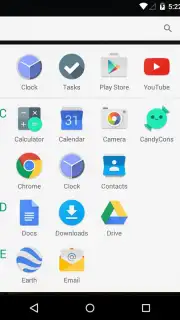
The launcher operates on a principle of minimal resource consumption, utilizing a lightweight codebase to ensure swift app launches and smooth transitions. Its primary interface is built around a customizable grid system for app icons and widgets, allowing for precise spatial arrangement. A central search bar provides unified access to installed applications, contacts, and web queries directly from the home screen. The drawer can be categorized automatically or manually, and gesture controls are configurable for actions like double-tap to lock or swipe down for notifications.
Key Functional Advantages
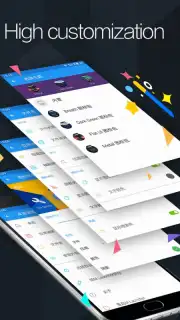
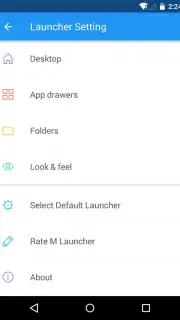
The main strengths of M Launcher are found in its operational efficiency and user-centric customization. Performance is optimized for lower-specification devices, ensuring usability on a wide range of hardware without lag. The customization, while not focused on elaborate visual themes, offers deep control over functional elements like grid size, icon labels, and gesture mappings. This results in a predictable, fast, and highly personal workflow that adapts to how you use your phone, not the other way around.
- Lightweight Performance Engine: Utilizes minimal RAM and CPU resources to maintain system responsiveness and extend battery life.
- Deep Gesture Customization: Assign system actions or app launches to touch gestures like double-tap, pinch, or swipe on the home screen.
- Smart App Organization: Automatically sorts your app drawer into user-defined categories for instant access to tools and applications.
Download this mobile app now and experience a home screen engineered for pure utility and speed. Transform your device's interface into a productivity tool immediately.
Internet required. IAP available.
Information
| Version | 1.5.0 |
| Developer | UPRUI Launcher Group |
| Requirements | Android Android + 4.1, 4.1.1+ |
| Updated | 17.03.2026 |
| Size | 7.23 MB |
| Package | com.uprui.launcher.marshmallow |
| Signature | 106ee26ac95ab2f6a99a5d03b6883e69 |
| Architecture | universal |


