

Magisk Delta screenshots (7)
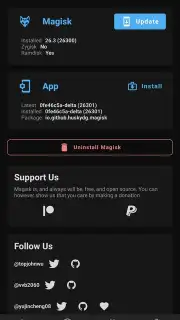
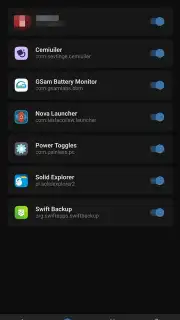
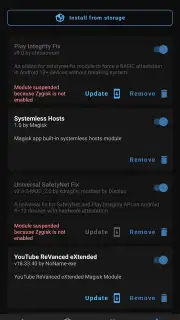
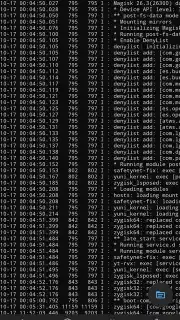
Description Magisk Delta
Looking for a more refined and secure way to unlock the full potential of your Android device? Magisk Delta redefines the rooting experience, building upon the legendary Magisk framework with critical enhancements designed for power users who prioritize both capability and safety. This advanced fork integrates specialized tools that proactively address common rooting pitfalls, offering a more robust and controlled environment for system modification.
Enhanced Root Management & Safety Features
Magisk Delta operates on the same foundational principles as the original Magisk, granting you full root (superuser) access to modify system files and flash powerful modules that add new functionality. However, it distinguishes itself with integrated safety mechanisms. A key addition is its built-in protection against boot loops, a frustrating scenario often caused by flashing incompatible modules or files. This system can prevent catastrophic failures that would otherwise require a full ROM reinstall, saving you significant time and hassle.
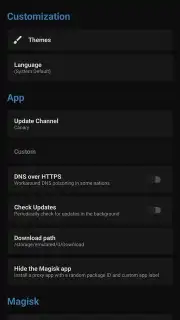
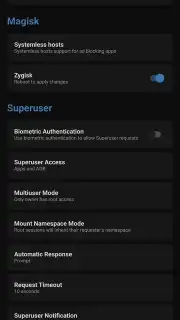
Beyond prevention, Magisk Delta employs more aggressive root-hiding techniques through its integrated Zygisk implementation. This makes it exceptionally effective at concealing root status from banking apps, games, and other services that typically refuse to run on modified devices. If you've encountered compatibility issues with standard Magisk, Delta may resolve them without the need for additional, separate hiding modules.
Installation & Core Functionality
To install Magisk Delta, an unlocked bootloader on your Android device is required. The installation process offers flexibility: if you already have root, you can install directly via the APK or flash a ZIP file from your custom recovery mode. For devices without existing root, the standard method involves patching your device's boot image (extracted from your ROM) using the Magisk Delta app and then flashing that patched image via a computer using fastboot commands.
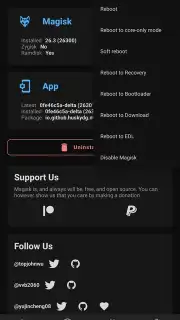
Once installed, the interface will be familiar to Magisk users. You manage root permissions on a per-app basis, granting superuser rights only to applications you trust. The Modules section remains the heart of customization, allowing you to browse, install, and manage modules that can alter everything from system visuals to audio and performance.
Key Advantages at a Glance
- Built-in boot loop protection mechanism
- Enhanced Zygisk root-hiding capabilities
- Direct APK or recovery ZIP installation
Download Magisk Delta now and experience a superior, safety-focused approach to Android rooting—this advanced access won't be available indefinitely!
Disclaimer: This tool requires an internet connection for downloading modules and updates. Use of this app requires technical knowledge and carries the risk of rendering your device unusable (soft-brick) if used incorrectly. The process necessitates an unlocked bootloader, which may void your device warranty and erase all data. This app is intended for advanced users; it does not contain in-app purchases but deals with deep system modifications. Ensure you have a full backup before proceeding. Use is at your own risk and responsibility.
Information
| Version | 8900c811-delta |
| Developer | huskydg |
| Requirements | Android Android + 5.0+ |
| Updated | 17.03.2026 |
| Size | 17.79 MB |
| Package | io.github.huskydg.magisk |
| Signature | 12f08997554f4098498f799bd2c60bfc |
| Architecture | armeabi-v7a, x86, arm64-v8a, x86_64 |


