


Mail.Ru screenshots (12)





Description Mail.Ru
A Unified Command Center for Your Digital Communication
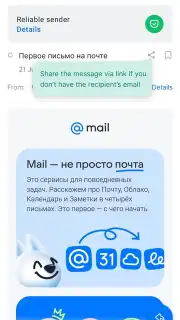
Managing multiple email accounts has become a standard part of modern digital life, often requiring a frustrating dance between different apps and browser tabs. The Mail.Ru app presents itself as a potential solution to this fragmentation, aiming to consolidate not just email, but a suite of productivity tools into a single, cohesive interface. After extensive testing, it functions less like a simple mail client and more like a centralized dashboard for personal and professional communication, integrating services from a surprisingly wide array of providers under one roof. The core proposition is clear: reduce application clutter by providing a unified access point for Gmail, Outlook, Yahoo, and regional services like Yandex and VK Mail, all while layering on additional utilities like news aggregation, cloud storage, and AI-driven summaries.
Feature Analysis: Beyond Basic Email Management
The application’s architecture is built around its multi-account email engine, but its utility extends into several adjacent productivity areas. The interface is logically segmented, with a primary focus on the unified inbox while granting persistent, quick-access navigation to other modules.
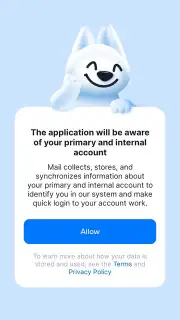
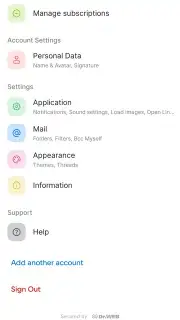
Multi-Provider Email Aggregation: The foundational feature is robust support for virtually all major email services. The setup process involves a secure authorization screen for each account, after which messages from Gmail, Outlook (including Hotmail), Yahoo Mail, Yandex, Rambler, Zimbra, and notably, VK.com mailboxes, flow into a single, chronological stream or remain neatly separated in their own folders. This eliminates the need to switch contexts constantly, providing a holistic view of all correspondence.
AI-Powered Email Summarization: A standout productivity tool is the integrated AI summarization feature. Upon opening any email within the app, the system can analyze the content and extract key points, presenting a concise overview. This is particularly valuable for lengthy newsletters, reports, or correspondence, allowing for rapid triage and comprehension without manually parsing every paragraph, a significant time-saver for power users with high-volume inboxes.
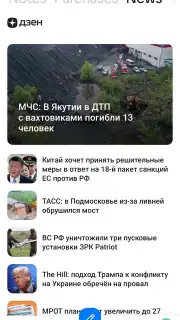
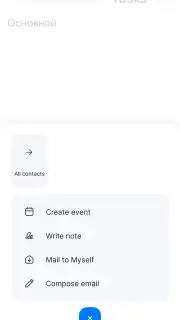
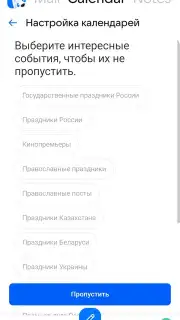
Integrated Productivity Suite: The top navigation bar unlocks additional functionalities that contextualize email within a broader workflow. This includes a functional calendar for scheduling, a task manager that can be linked directly to specific emails, a centralized contact book, and a dedicated news reader that aggregates headlines. The cloud storage feature allows for file attachments to be saved directly from emails into a dedicated cloud space, creating a simple document repository.
Offline Functionality and Turbo Mode: Recognizing the need for constant access, the app provides a competent offline mode. Previously synchronized emails remain readable without an internet connection, and new messages can be composed and saved as drafts for automatic sending once connectivity is restored. The optional "Turbo" subscription tier, which is promoted within the app, claims to remove advertising and unlock additional premium benefits, though the core multi-account and summarization features remain available in the standard version.
- Unified inbox for all major providers
- AI-driven email summarization tool
- Integrated calendar, tasks, and news
- Offline access and draft management
The app successfully creates a centralized hub, reducing the friction of managing a dispersed digital identity. For users juggling multiple email accounts—especially across international providers like Gmail and Yandex—and seeking integrated task and news management, it presents a compelling, all-in-one alternative. Its effectiveness hinges on the depth of integration with each supported service, which in testing proved reliable for core email functions.
Download the Mail.Ru mobile app now to consolidate your digital workflow. This limited-time access ensures you can configure all your accounts and experience the AI summarization features before any potential future feature adjustments. Start streamlining your communication today.
Heads up: you'll need wifi for initial setup and for the AI summary feature to work. Some cool stuff, like the ad-free Turbo mode and expanded cloud storage, is extra.
Information
| Version | 15.77.1.134316 |
| Developer | Mail.Ru Group |
| Requirements | Android Android + 7.0+ |
| Updated | 17.03.2026 |
| Size | 305.13 MB |
| Package | ru.mail.mailapp |
| Signature | 073022c39fd25948806f12063189e35b |
| Architecture | armeabi-v7a, x86, arm64-v8a, x86_64 |


