


Material Files screenshots (7)
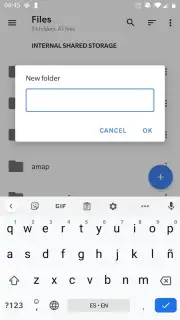
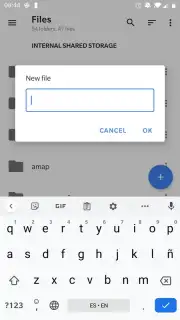
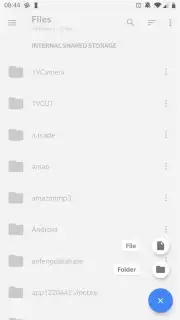
Description Material Files
Looking for a file manager that’s both powerful and elegantly simple? Material Files delivers a clean, intuitive experience for organizing and accessing everything on your Android device.
Core Functionality
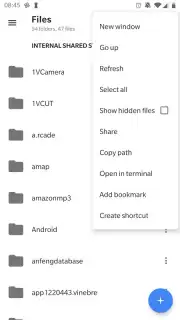
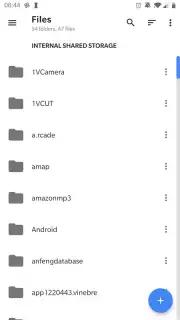
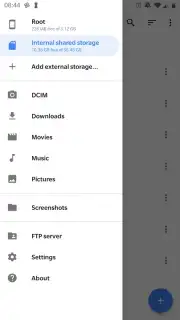
This app provides a comprehensive suite of file management tools designed with the Material Design philosophy. Navigate your device's internal storage and SD card with a dual-pane view for efficient file operations. It supports root access for advanced users, network storage via SMB, and archives like ZIP and 7z. The interface offers multiple view modes, including a detailed list and compact grid, with a built-in text editor and image viewer for direct file interaction.
Key Advantages
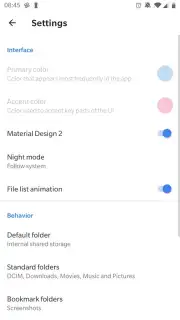
Material Files stands out with its focus on a pure, ad-free user experience and robust functionality. The design ensures smooth navigation and logical organization without unnecessary clutter. It handles complex tasks like batch operations, media file indexing, and detailed search with advanced filters, all while maintaining minimal permissions for enhanced privacy.
- Dual-Pane Navigation: Manage files across two panels side-by-side for rapid copying, moving, and organization.
- Root & Network Support: Access system directories with root privileges and connect to SMB shares for network file management.
- Integrated File Tools: Open, edit, and preview files directly with the built-in text editor, image viewer, and archive handler.
Get organized with a file manager that combines clarity with capability. Download Material Files now and take full control of your device's storage.
Internet required. IAP available.
Information
| Version | 1.7.4 |
| Developer | Hai Zhang |
| Requirements | Android Android + 5.0+ |
| Updated | 17.03.2026 |
| Size | 11.56 MB |
| Package | me.zhanghai.android.files |
| Signature | b53cab44b3da0036d139eafc8c4b781c |
| Architecture | armeabi-v7a, x86, arm64-v8a, x86_64 |


