

Max Launcher screenshots (8)
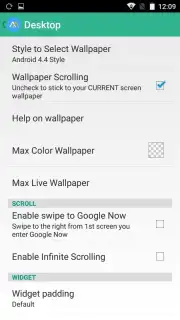
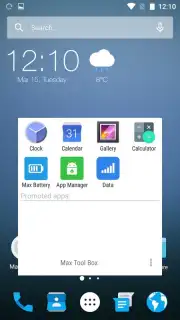
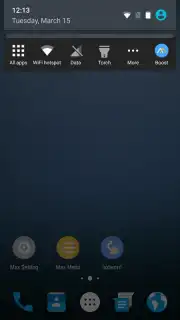
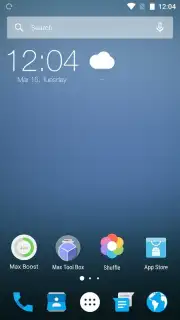
Description Max Launcher
What if your Android's interface could be both visually refined and deeply responsive to your touch?
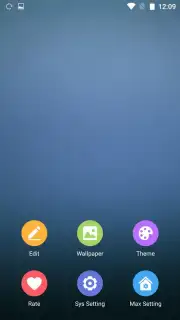
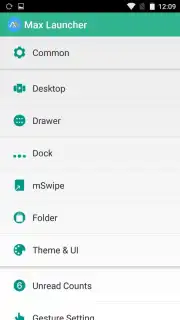
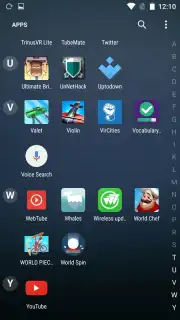
Max Launcher - Marshmallow 6 presents itself as a comprehensive customization tool designed to replace your device's standard home screen. Its core proposition is layered: it offers extensive aesthetic control through downloadable themes, icon packs, and wallpapers, while simultaneously providing a suite of functional enhancements via gesture-based navigation. The developer, Max Mobile Team, has structured this launcher to operate without intrusive advertising, a feature unlocked through its optional Turbo mode. This creates an environment where personalization is not interrupted by commercial prompts, allowing for a more immersive user experience.
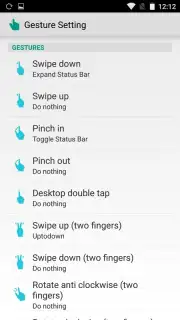
The operational mechanics are where this application distinguishes itself from simpler theme engines. Beyond applying static visual changes, it integrates a gesture-recognition system that maps over a dozen distinct touch patterns to specific actions or application launches. For instance, a two-finger upward swipe can be configured to directly open Twitter, while a pinching motion on the home screen could instantly access the device's system settings menu. This layer of control effectively turns the desktop into a command center, reducing reliance on app drawers and standard buttons. The interface adheres to a clean, modern design language that aligns with its namesake Android version, ensuring that the base experience feels orderly before any customization is applied.
Core Feature Analysis
- Granular Visual Customization: Directly download and apply complete theme packages, individual icon sets, and curated wallpapers to overhaul every visual element.
- Advanced Gesture Command System: Map complex multi-finger gestures and screen touches to launch apps, toggle settings, or trigger system actions for efficient navigation.
- Ad-Free Operational Environment: The optional Turbo mode removes all advertisement placements, creating an uninterrupted and focused customization workflow.
This launcher functions as a dual-purpose tool: it is a design studio for your phone's facade and a utility for streamlining daily interactions. The absence of forced advertising, contingent on the Turbo mode, is a significant functional consideration for users prioritizing a clean interface. The gesture system, in particular, adds a dimension of efficiency that persists regardless of the active visual theme, making it a substantive upgrade over a standard launcher.
Start transforming your Android device into a personalized command center today. Download Max Launcher now and claim your visual and functional advantage.
Internet required. IAP available.
Information
| Version | 2.0 |
| Developer | Max Mobile Team |
| Requirements | Android Android + 4.0, 4.0.1, 4.0.2+ |
| Updated | 17.03.2026 |
| Size | 5.37 MB |
| Package | com.max.maxlauncher |
| Signature | e07add7268dce3329221cfd60907ffe0 |
| Architecture | universal |


