


Maxthon browser screenshots (4)
Description Maxthon browser
Is your mobile browsing experience fragmented, forcing you to abandon the powerful tools and familiar workflow of your desktop browser? The Maxthon Browser for Android directly addresses this core frustration by functioning not as a standalone mobile app, but as a seamless extension of its desktop counterpart. This review examines how version 7.4.9.103 translates a comprehensive desktop-class feature set into an intuitive touch-screen interface, eliminating compromise and streamlining your digital life across devices.
Core Functionality and Cross-Platform Integration
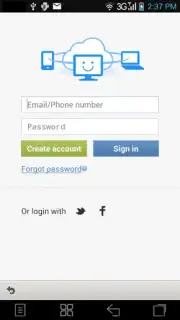
The foundational strength of Maxthon Browser lies in its sophisticated synchronization engine. This is not a simple bookmark importer; it establishes a continuous, real-time bridge between your Android device and your PC. The result is a unified ecosystem where your curated list of favorite sites, browsing history, and even open tabs are perfectly mirrored. This eliminates the tedious process of manually emailing links or searching for sites you were just viewing on your desktop, creating a genuinely continuous workflow. Furthermore, the browser respects user preference for interface consistency. It offers extensive theming options, allowing you to apply various visual skins to personalize the mobile view, or maintain the traditional, familiar desktop skin if you prioritize a consistent, unchanging visual environment over aesthetic novelty.
Performance Enhancements and Navigation Mechanics
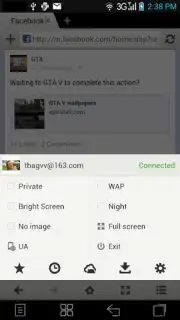
Performance is handled by the integrated Turbo mode, which operates on multiple levels. It accelerates page loading through data compression and optimized rendering, while also aggressively blocking intrusive advertisements and pop-ups at the system level. This dual action results in a noticeably cleaner, faster, and more data-efficient browsing session. Navigation is reimagined for touch through a gesture-control system. Instead of reaching for small back/forward buttons, you can assign custom swipe gestures to common actions like refreshing, closing tabs, or switching between them. This transforms navigation from a series of precise taps into fluid, sweeping motions that feel natural on a touchscreen and can significantly increase browsing speed once muscle memory is established.
Structural Features and Customization Depth
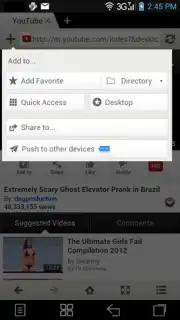
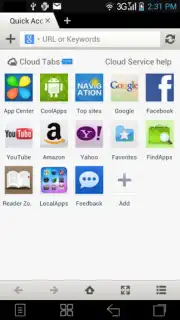
Beyond the core sync and speed, Maxthon Browser incorporates a robust structural framework. It employs a desktop-style tab management system, allowing for multiple parallel browsing sessions within a single window, complete with thumbnail previews for easy visual identification. The download manager is a fully-featured component, capable of pausing, resuming, and organizing downloads with granular control often absent in mobile browsers. The settings menu reveals a deep layer of customizable options, from privacy controls and script management to fine-tuning how content is displayed and handled, appealing to users who wish to move beyond basic presets.
- Full PC-to-mobile synchronization
- Turbo mode for speed and ad-blocking
- Custom gesture-based navigation controls
- Powerful download manager and tab system
Stop juggling between disconnected browsers and reclaim a unified web experience. This is the tool that bridges the gap between your desktop power and mobile convenience.
Download Maxthon Browser for Android now and synchronize your digital life immediately!
Internet required. IAP available.
Information
| Version | 7.4.9.103 |
| Developer | Maxthon Browser |
| Requirements | Android Android + 7.0+ |
| Updated | 17.03.2026 |
| Size | 27.15 MB |
| Package | com.mx.browser |
| Signature | 1b7df9a4807e58e4c8e578afd8e1c466 |
| Architecture | arm64-v8a |


