


Media Player screenshots (10)



Description Media Player
Imagine a single app on your Android device that eliminates the constant search for a compatible player. You download a video or audio file in a rare format, and instead of an error message, it simply plays. This is the core proposition of Media Player by developer Ellen Wu, a utility-focused application engineered for maximum file format compatibility in video and audio playback.
Core Functionality and Supported Formats
Media Player operates as a universal playback tool, designed to handle an extensive library of multimedia file types directly on your device without the need for conversion. Its primary technical capability is decoding a vast array of video and audio codecs that are often unsupported by standard players. For video, this includes common containers like MP4, AVI, MKV, and MOV, alongside more specialized formats such as DV, RM, VOB, SWF, and various H.26x encodings. Audio playback support is equally comprehensive, extending beyond standard MP3 and WAV files to encompass lossless formats like FLAC, along with WMA, OGG, AAC, AC3, and PCM among others.
A significant secondary function is its integrated subtitle engine. The player supports multiple subtitle file formats, allowing users to add external text tracks to their video content. Compatible formats include SRT, ASS/SSA, SUB, and SMI, with support for various text encodings like UTF and UTF-8 to ensure correct character display. The application provides a no-frills environment focused on the technical task of playback, offering basic on-screen controls for play, pause, seek, volume, and subtitle selection.
Key Feature Overview
- Universal video and audio playback
- Broad subtitle format compatibility
- Streamlined, ad-free playback interface
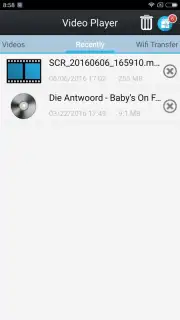
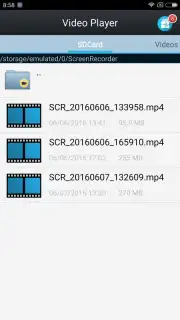
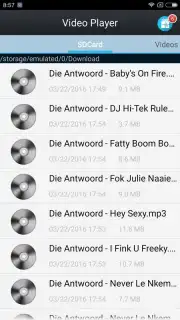
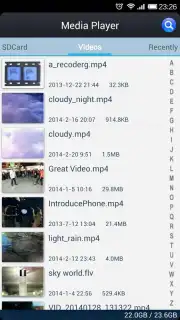
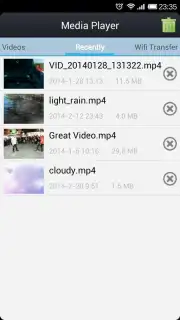
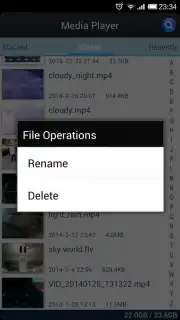
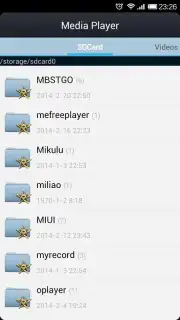
The application's interface is utilitarian, prioritizing direct access to device storage for file selection over aesthetic design. A notable operational feature is the optional "Turbo" mode, which is presented as a means to enhance performance and remove advertising elements from the user experience. This positions the app as a practical solution for users whose primary requirement is to successfully play challenging media files, particularly those in less common or legacy formats, rather than for those seeking a visually polished entertainment hub.
Download Media Player now to gain exclusive, early access to its universal playback engine. This limited-time offer ensures you can open virtually any media file today.
Disclaimer: Media Player requires an internet connection for initial download and potential feature updates. The app may contain optional in-app purchases, such as for the Turbo mode. Use of the app involves accessing media files from your device's storage. Please be aware of your mobile data usage if downloading files to play. This utility app is intended for general audiences; however, users are responsible for the content they play. Supported formats are subject to change with updates.
Information
| Version | 3.0.8 |
| Developer | Ellen Wu |
| Requirements | Android Android + 5.0+ |
| Updated | 17.03.2026 |
| Size | 35.26 MB |
| Package | com.mefree.videoplayer |
| Signature | d349c5e67151ab07fede9743dcad445f |
| Architecture | armeabi, armeabi-v7a, x86, arm64-v8a, x86_64 |


