


Mi Control Center screenshots (8)
Description Mi Control Center
Tired of Your Phone's Boring Control Center?
You pick up your phone dozens of times a day, swiping down to adjust settings or check notifications, only to be met with the same bland, unchangeable layout. It feels like you're living with someone else's design choices, unable to personalize one of the most frequently used parts of your device. That default control panel is functional, but it lacks personality and may not work the way you instinctively want it to. What if you could redesign that entire experience to match your style and speed up your daily interactions?
Transform Your Android's Core Interface
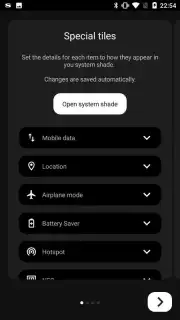
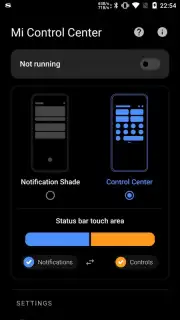
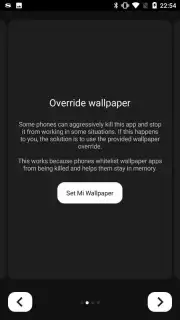
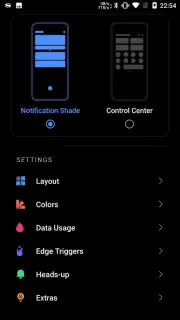
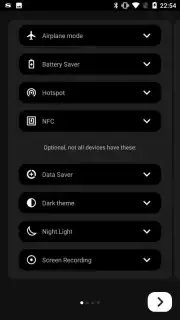
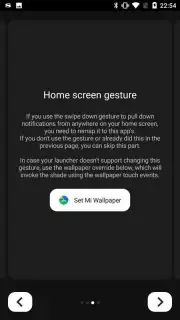
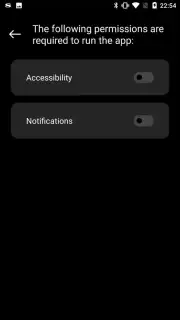
Mi Control Center hands you the tools to rebuild your phone's control panel from the ground up. This is not a simple theme swap; it's a deep customization tool that re-engineers the pull-down shade to mimic the polished, efficient designs of MIUI or iOS, right on your Android device. The process begins with granting a few necessary permissions—a quick, one-time step that unlocks total creative control. From there, every visual and functional element becomes yours to command. Watch as your chosen design applies instantly, transforming the very fabric of your interface without needing a complex tutorial or technical know-how.
The customization goes far beyond simple aesthetics. You gain authority over the notification delivery speed, deciding how and when alerts reach you. The core color scheme of the control center shifts to match your mood or wallpaper, while icon shapes morph between sleek circles, modern squares, or dynamic gradients. Rearranging tiles becomes intuitive, allowing you to prioritize Wi-Fi, Bluetooth, or flashlight exactly where your thumb expects them. The ability to send quick replies directly from the notification shade streamlines your messaging, turning a glance into an immediate action. Even typography is under your control, letting you select fonts and accent colors that make the interface feel uniquely yours.
Key Benefits at a Glance
- Completely ad-free user experience
- Turbo-powered performance and application
- Redesigned icon shapes and gradients
- Quick-reply messaging from notifications
This application delivers a level of system-level personalization that feels both radical and effortless. It replaces the static, one-size-fits-all control center with a dynamic hub that reflects your preferences in both form and function. The result is a device that feels more responsive, more personal, and more aligned with how you actually use your phone every single day.
Download Mi Control Center now! Stop tolerating a generic interface and immediately install the tool that puts definitive control back in your hands. Transform your phone's core experience today!
Disclaimer: This application requires a stable internet connection for initial download and setup. It requests specific device permissions to function correctly. The developer may offer in-app purchases for additional features or themes. Please be aware of your mobile data usage during download. Use is subject to the app's terms and conditions.
Information
| Version | 18.5.9.1 |
| Developer | Treydev Inc |
| Requirements | Android Android + 9+ |
| Updated | 17.03.2026 |
| Size | 15.95 MB |
| Package | com.treydev.micontrolcenter |
| Signature | c8669dbc70b9e5a19667b7634dd26fc3 |
| Architecture | universal |


