


Microsoft 365 Admin screenshots (8)
Description Microsoft 365 Admin
Your Office, Now in Your Pocket
Imagine you're away from your desk, maybe grabbing a coffee or between meetings, when an urgent notification pops up. A user can't access their email, a license needs assigning, or a service health alert flashes. That moment of scrambling to find a laptop, hoping for a Wi-Fi signal, and feeling the pressure build—it's gone. This mobile app transforms your smartphone into a direct, powerful command center for Microsoft 365, putting critical administrative control literally at your fingertips. No more being tethered to a desk; you gain the freedom to manage, secure, and support your organization from anywhere, turning potential crises into quick, effortless taps on your screen.
Command Your Cloud Ecosystem Anywhere
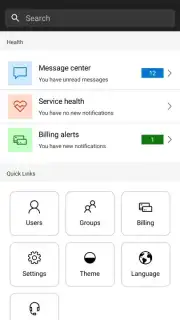
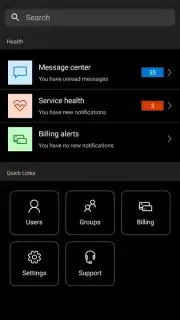
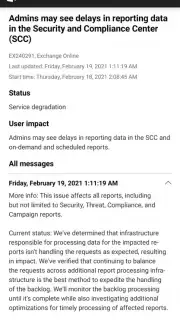
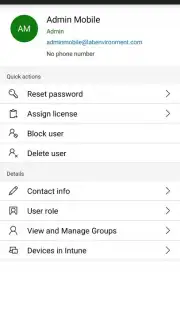
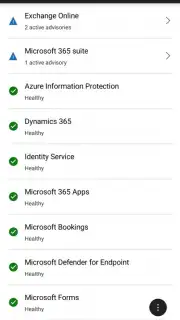
This isn't just a companion app; it's a full-featured administrative hub designed for mobility. You get a comprehensive, real-time dashboard that delivers the health of all your services—Exchange Online, SharePoint, Teams, and more—in a clear, glanceable format. Dive deep into user management: reset passwords, assign or remove licenses, edit profiles, and manage groups directly from your device. Monitor detailed service health with incident-specific updates and root cause analyses to keep your team informed. You can even create and track support requests with Microsoft, ensuring help is always just a few taps away. The app provides secure, authenticated access, so you can perform sensitive administrative tasks with confidence, knowing your organization's data and controls are protected.
Why This Mobile App Becomes Your Essential Tool
- Real-Time Service Health Dashboard: Get instant, visual status updates for all Microsoft 365 services. View active incidents, advisories, and historical reports to proactively address issues before they affect your users.
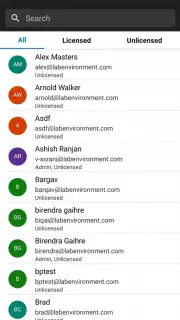
- Comprehensive User and Group Management: Perform everyday administrative tasks on the go. Easily search for users, reset passwords, manage multi-factor authentication settings, assign or revoke product licenses, and edit group memberships.
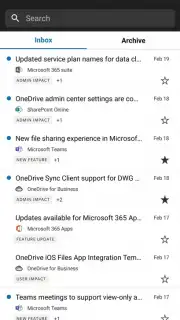
- Centralized Message Center: Stay ahead of changes. Read, track, and manage all official communications from Microsoft about new features, planned changes, and important announcements in one dedicated, mobile-friendly feed.
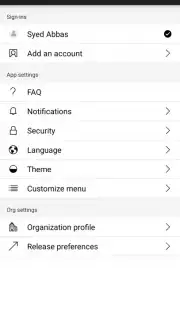
- Secure and Role-Based Access: Access is strictly controlled by Azure Active Directory. Admins only see the tools and data permitted by their role, ensuring secure delegation and compliance right from a mobile device.
- Streamlined Support Integration: Quickly file new service requests, check the status of existing cases, and view your support history with Microsoft without switching contexts or devices.
Stop being chained to your desk for essential admin tasks. Take command of your Microsoft 365 environment from the airport, the conference room, or your living room.
Download Microsoft 365 Admin now and turn your phone into your most powerful admin tool!
Heads up: you'll need an active Microsoft 365 admin account and an internet connection for all features. Some advanced functionalities and detailed reporting are best experienced on the full web admin center. Device management features may vary.
Information
| Version | 5.7.1.0 |
| Developer | Microsoft Corporation |
| Requirements | Android Android + 5.0+ |
| Updated | 17.03.2026 |
| Size | 65.34 MB |
| Package | com.ms.office365admin |
| Signature | 03aef1b47a462db1501f2ab11b6843b0 |
| Architecture | armeabi-v7a, x86, arm64-v8a, x86_64 |


