


Microsoft Copilot screenshots (10)

Description Microsoft Copilot
What if you had a personal AI assistant that could handle your toughest questions and wildest creative ideas?
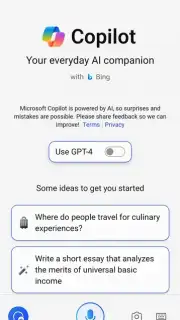
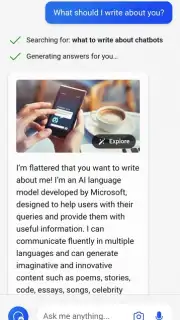
Imagine having a powerful AI companion right in your pocket, ready to tackle any task you throw at it. Microsoft Copilot is that companion. This official mobile app from Microsoft puts advanced artificial intelligence at your fingertips, transforming how you work, create, and find information. Built on the latest OpenAI models, including GPT-4 and DALL·E 3, it delivers sophisticated, accurate, and incredibly fast responses. Whether you need to brainstorm a unique recipe for a healthy dinner or generate a detailed illustration from a simple description, this tool adapts to your needs instantly. You experience a seamless boost in productivity, with complex problems becoming simple to solve.
Experience the full power of AI, unlocked
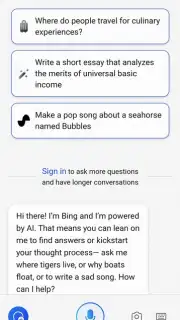
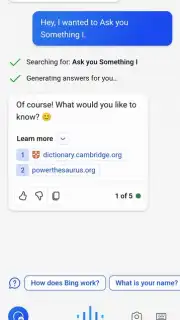
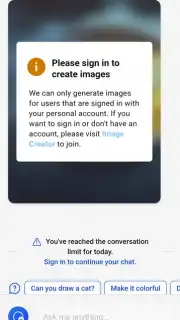
You can start using Microsoft Copilot immediately without any sign-in, exploring a wide range of its capabilities with no barrier to entry. For the complete, enhanced experience—including access to the very latest AI model and the ability to generate images directly within the app—a quick login with your Microsoft account is required. Tapping the menu button in the upper corner and entering your details takes mere moments. If you don’t have an account, you can create one in seconds. This simple step unlocks the full, turbo-charged potential of the assistant, all without any disruptive advertisements cluttering your experience.
Your versatile tool for countless daily scenarios
This assistant proves invaluable in a multitude of situations. Its core strength is versatility, enabling you to complete a vast array of tasks with greater speed and efficiency. You might be preparing for a college entrance exam, seeking help with a complex homework assignment, or simply looking for reliable information for daily decisions. The app assists you through all of it. Interaction is fluid: you can type queries directly or use your device’s microphone for voice input. The advanced speech recognition system accurately understands your spoken words. You can command Microsoft Copilot to draft a professional email, summarize lengthy documents or meeting notes, or correct spelling and grammar across any text. The AI is designed to handle virtually any intellectual challenge you present.
Bring your imagination to life with AI-generated art
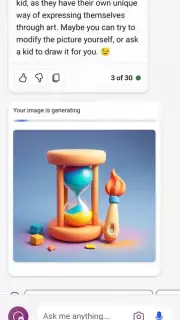
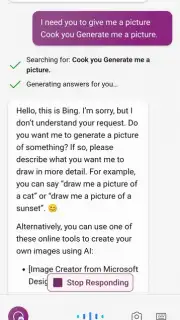
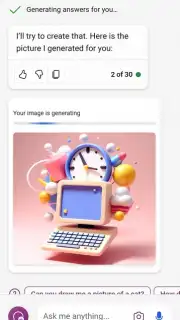
Once signed in, you gain access to one of the most captivating features: the AI image generator. The process is as simple as describing exactly what you want to see. You can specify artistic styles to guide the creation. For instance, describe a couple holding hands in a forest, drawn in a manga style, and within seconds you will be presented with four distinct visual options. If a particular generated image resonates with you, you can save it directly to your device’s gallery in the highest possible quality. Should you feel an image is missing a certain element, just articulate what you think is lacking, and the AI will promptly produce four new variations incorporating your feedback.
Tailor the assistant to your personal preferences
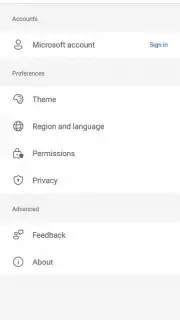
While the options menu is streamlined, it contains everything necessary to customize your interaction. You can select between two visual themes, light and dark, with the app automatically detecting and applying your preferred system setting by default. The menu also allows you to set the language for your interactions; again, the app will auto-detect this, but you can manually change it with a single tap if needed. Furthermore, within the settings, you find quick shortcuts to privacy controls and app permissions. This centralized location lets you review and revoke any permissions you are not comfortable with, maintaining your control over data and access.
- Advanced AI Models: Leverages cutting-edge OpenAI technology, including GPT-4 and DALL·E 3, for intelligent, nuanced, and precise responses to any query.
- Multi-Format Interaction: Engage by typing or using intuitive voice commands, with sophisticated speech recognition ensuring your spoken requests are understood perfectly.
- Creative Image Generation: Transform text descriptions into unique, high-quality images and illustrations, with the ability to refine results and specify artistic styles.
- Comprehensive Task Support: Get assistance with writing, editing, summarizing, researching, planning, coding, and problem-solving across educational, professional, and personal contexts.
- Frictionless Access: Begin using core features immediately without an account, with a simple sign-in unlocking premium capabilities and the latest model updates.
- Ad-Free Experience: Enjoy uninterrupted use with no advertisements, allowing for complete focus on your tasks and creativity.
- Customizable Interface: Personalize the app with light or dark theme options and select your preferred language for a comfortable user experience.
- Centralized Privacy Controls: Easily manage app permissions and privacy settings from a dedicated menu within the application.
Stop juggling multiple apps and struggling with complex tasks alone. Transform your smartphone into a powerhouse of productivity and creativity. This AI companion is waiting to simplify your day and amplify your ideas.
Download Microsoft Copilot now and instantly upgrade your digital life!
Disclaimer: This application requires an internet connection for full functionality. The app may offer in-app purchases or require a subscription for access to certain premium features.
Information
| Version | 30.0.440309001 |
| Developer | Microsoft Corporation |
| Requirements | Android Android + 8.0+ |
| Updated | 17.03.2026 |
| Size | 81.25 MB |
| Package | com.microsoft.copilot |
| Signature | f8391c6e07c88d62842f8f67891ff092 |
| Architecture | armeabi-v7a, arm64-v8a |


