


Microsoft Excel screenshots (10)
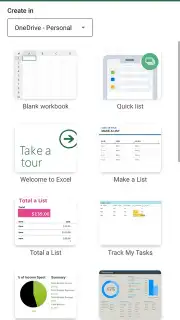
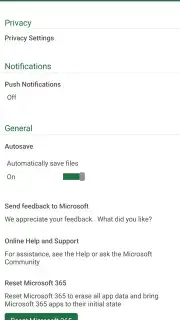
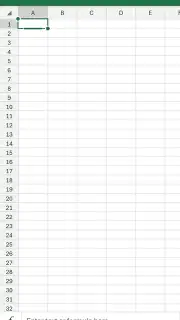
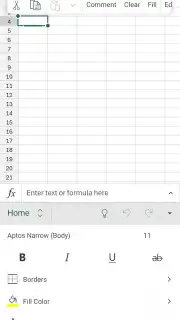
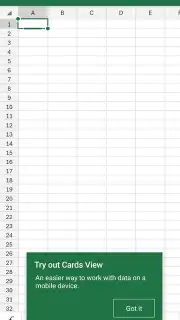
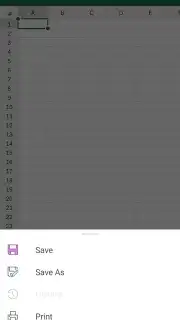

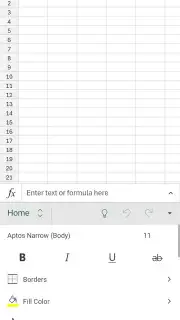
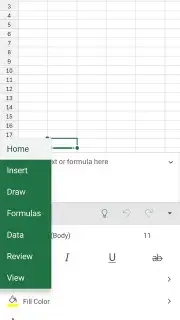
Description Microsoft Excel
Tired of Spreadsheet Headaches on Your Phone?
Juggling budgets, reports, or project data on a mobile device often means settling for clunky viewers or apps that strip out your hard work. You need the full power of your desktop spreadsheet tool, ready to go wherever you are. Microsoft Excel for Android delivers exactly that: the complete, official spreadsheet engine from Microsoft, engineered to transform your phone or tablet into a genuine productivity workstation. It brings the entire professional toolkit for data creation, complex analysis, and team collaboration directly to your pocket, eliminating compatibility gaps and workflow interruptions.
Desktop-Grade Power, Truly Mobile
This is not a simplified viewer; it's the full Excel application. You gain direct access to the entire library of functions and tools needed for serious work. Create detailed financial models using advanced formulas, visualize trends with a full suite of charts and graphs, and enforce data integrity with input validation and sheet protection. The robust formatting engine lets you apply conditional formatting to highlight key metrics instantly and maintain consistent, professional styling. Any document you work on—be it a pivot table, a project schedule, or an inventory list—retains its full functionality, formulas, and design when you open it on your Android device.
Seamless File Handling and Universal Compatibility
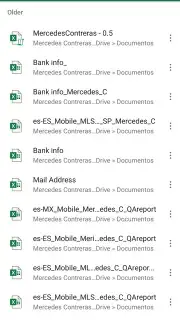
Stop worrying about file formats and broken layouts. The app provides native support for all standard and legacy spreadsheet formats, including XLSX, XLS, CSV, and TXT files. It seamlessly opens password-protected documents and files created on other platforms, preserving every formula, chart, and formatting style exactly as intended. This universal compatibility ensures you can reliably access, edit, and share workbooks from colleagues, clients, or your own archive without any conversion errors or data loss, making cross-platform workflow perfectly fluid.
Real-Time Co-Authoring and Team Coordination
Turn any spreadsheet into a dynamic hub for team projects. Multiple users can edit the same workbook simultaneously with live co-authoring, seeing each other's changes in real time. Use threaded comments attached directly to cells for precise feedback, and track the complete history of changes to monitor progress or revert to earlier versions. This integrated suite of collaboration tools allows you to assign tasks, discuss data, and manage team input directly within the document, streamlining communication and parallel work without constant meetings or email chains.
- Execute Complex Data Analysis: Utilize the full suite of logical, financial, statistical, and lookup functions to build dynamic formulas and models directly on your mobile device.
- Maintain Formatting & Data Integrity: Apply advanced cell formatting, conditional formatting rules, data validation, and sheet protection to create polished, error-resistant documents.
- Collaborate with Live Synchronization: Co-edit documents with teammates in real time, using in-cell comments and change history for seamless, transparent project management.
Transform Your Android Device into a Data Powerhouse
Stop compromising on capability when you're away from your desk. With the full fidelity of Microsoft Excel, your most important spreadsheets and analyses are always actionable, editable, and shareable. Achieve more from anywhere—download the app now and install the definitive spreadsheet solution.
Download Microsoft Excel for Android now and unlock professional data work anywhere.
Heads up: you'll need wifi for most real-time collaboration features. A Microsoft 365 subscription is required to unlock all premium creation and editing tools.
Information
| Version | 16.0.20228.20090 |
| Developer | Microsoft Corporation |
| Requirements | Android Android 13+ |
| Updated | 02.09.2026 |
| Size | 134.92 MB |
| Package | com.microsoft.office.excel |
| Signature | 7D:C8:3C:D2:AB:E8:33:56:0C:28:96:62:6E:30:70:41:C0:DF:3A:7A |
| Architecture | arm64-v8a |


