

Microsoft Office Mobile screenshots (5)



Description Microsoft Office Mobile
Your Pocket-Sized Office Suite, Always in Sync
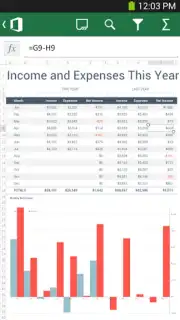
Imagine you’re rushing between meetings, and a critical document needs your immediate review. Or perhaps you’re commuting home, and a brilliant idea for that presentation strikes. Instead of waiting until you’re back at your desk, you can simply pull out your phone, tap an app, and pick up exactly where you left off. That’s the seamless reality offered by Microsoft Office Mobile for Office 365. This powerful tool transforms your Android device into a genuine extension of your professional workspace, letting you access, review, and edit your Word documents, Excel spreadsheets, and PowerPoint presentations with stunning fidelity. Everything appears just as it would on your desktop, with complex charts, smooth animations, detailed shapes, and SmartArt graphics rendering perfectly, so your work always looks polished and professional.
Experience Desktop-Grade Power in Your Palm
This app is far more than a simple document viewer. It’s a fully-featured companion designed for the modern, mobile professional. The magic happens through its deep integration with your Office 365 subscription, ensuring that your workflow is never interrupted. Any change you make on your phone is instantly saved to the cloud, ready for you to continue seamlessly on your laptop or desktop computer. This constant sync means your latest work is always at your fingertips, whether you’re at a coffee shop, in a taxi, or working from home. The interface is intuitively designed for touch, making navigation and editing feel natural, while preserving the powerful tools you rely on.
To unlock this mobile productivity hub, you’ll need an active Office 365 subscription. This connects your mobile experience to the full ecosystem, providing access and editing rights. The app supports a wide range of plans, ensuring both individuals and organizations can benefit.
- For Home & Personal Use: Office 365 Home Premium, Office 365 University.
- For Business & Teams: Office 365 Small Business Premium, Office 365 Midsize Business.
- For Large Enterprises & Education: Office 365 ProPlus, Office 365 E3 or E4 (enterprise), Office 365 Educational Environment A3 or A4.
The experience is streamlined and focused entirely on your work. You enjoy a clean, ad-free interface that lets you concentrate without distractions. The performance is optimized for mobile, often feeling quicker than traditional methods thanks to efficient cloud processing. You’re not just opening files; you’re actively maintaining momentum on your most important projects, making every spare moment productive.
Why This App Becomes Your Essential Work Partner
- True Formatting Fidelity: View and edit documents with complete confidence. Complex elements like advanced Excel charts, PowerPoint animations, and Word’s SmartArt appear and behave exactly as intended, with no awkward reformatting.
- Real-Time Cloud Synchronization: Every edit auto-saves directly to OneDrive or SharePoint through your Office 365 subscription. Start on your phone, finish on your PC—it’s all the same, always-updated document.
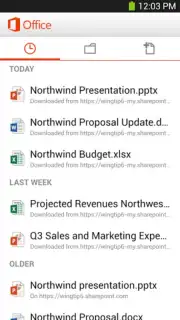
- Universal Access to Your Files: Retrieve any document from your connected cloud storage anytime, anywhere. All you need is an internet connection to reach your entire work library.
- Streamlined, Ad-Free Environment: Focus purely on your tasks in a clean, professional interface designed for productivity, not interruptions.
- Broad Subscription Compatibility: Works seamlessly with nearly every Office 365 plan, from personal and student subscriptions to large enterprise and educational licenses.
- Enhanced Mobile Workflow: Designed for touch with optimized menus and commands, making common actions like commenting, formatting text, or editing cell data fast and intuitive on a smaller screen.
Consider downloading Microsoft Office Mobile to break the chain between your desk and your productivity. It’s the definitive solution for staying connected to your core work documents and driving projects forward from absolutely anywhere. We suggest trying it to experience that liberating feeling of seamless, uninterrupted workflow.
Download the Microsoft Office Mobile app now and turn your smartphone into your most versatile office.
Disclaimer: A persistent internet connection is required for full functionality, including accessing, syncing, and saving documents to the cloud. Use of this application requires an active, paid Microsoft Office 365 subscription; applicable subscription fees are managed through your Microsoft account. Product experience may vary based on your specific Office 365 plan.
Information
| Version | 16.1.0.1 |
| Developer | Microsoft Corporation |
| Requirements | Android Android + 6.0+ |
| Updated | 17.03.2026 |
| Size | 791.4 KB |
| Package | com.microsoft.office.officehub |
| Signature | 03aef1b47a462db1501f2ab11b6843b0 |
| Architecture | universal |


