


MightyText screenshots (4)

Description MightyText
Tired of Typing on a Tiny Screen?
Imagine finishing a thought on your computer, only to have to pick up your phone to send a text. It breaks your flow, slows you down, and feels downright clunky in a connected world. What if your computer and phone could finally work as one seamless team for messaging? Your wish is granted. Step into a workflow where your Android phone’s SMS inbox lives right on your desktop, letting you communicate from the device that’s most convenient at that very moment.
Your Desktop Just Became a Texting Powerhouse
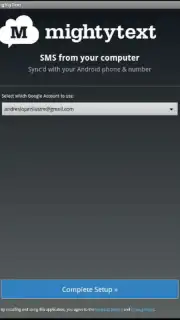
MightyText elegantly bridges the gap between your Android device and your computer. It’s more than just a mirror; it’s a full-featured command center for your personal messaging. See every conversation in a clean, expanded window on your PC or Mac, complete with full message history, contact photos, and typing indicators. The magic happens through a lightweight app on your phone that syncs securely with a browser extension or web app, turning Chrome, Firefox, or Safari into your new favorite texting platform. This means you can start a conversation on your laptop and effortlessly continue it on your tablet without ever missing a beat.
While the core service brilliantly syncs your messaging, it’s important to know that standard SMS/MMS messages sent through MightyText use your phone’s native messaging plan. Think of it as using your computer as a remote control for your phone’s texting function—incredibly convenient, but still routed through your carrier. For a turbocharged, ad-free experience with premium features, MightyText offers a powerful upgrade.
- Seamless Multi-Device Sync: Send and receive SMS and MMS directly from your computer’s browser or a dedicated web app. Your entire message history is instantly available everywhere.
- Universal Browser Compatibility: Works flawlessly as an extension for Google Chrome, Mozilla Firefox, and Apple Safari. Install it once and text from any compatible browser.
- Expanded Tablet Productivity: Liberate your Android tablet. Use its large screen for comfortable, full-keyboard texting, synced in real-time with your phone.
- Centralized Media Management: View all the photos and videos sent to your phone in a unified gallery on your computer, making it simple to save or forward them.
- Never Miss a Notification: See phone call alerts, battery status, and other Android notifications directly on your desktop, so your phone can stay in your bag while you work.
Claim Your Communication Advantage Now
Stop the constant device-switching and reclaim your productivity. Transform how you communicate by making the biggest screen in front of you the most powerful one. Download MightyText today and experience the freedom of desktop texting.
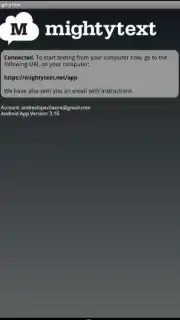
Download the MightyText mobile app now to begin syncing!
Disclaimer: This service requires an active internet connection on both your Android device and computer. Standard carrier messaging rates may apply for SMS/MMS. The app may contain in-app purchases for premium features. Use of this app is subject to the developer's Terms of Service and Privacy Policy. Data usage applies. Not intended for users under the age of 13.
Information
| Version | 17.03 |
| Developer | MightyText: SMS Texting w/ PC |
| Requirements | Android Android + 4.4+ |
| Updated | 17.03.2026 |
| Size | 4.15 MB |
| Package | com.texty.sms |
| Signature | c0be0af67b175c4de85bc5e126e1a5a2 |
| Architecture | universal |


