


Mini Desktop screenshots (5)
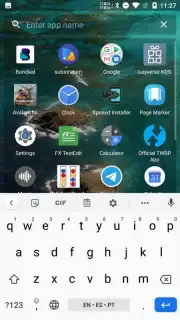
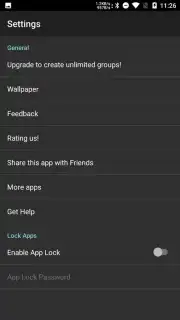
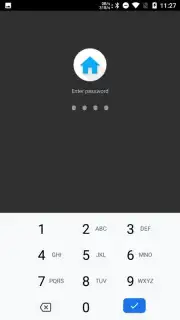
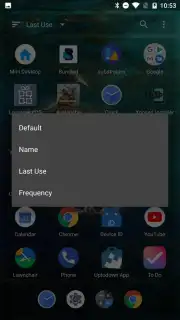
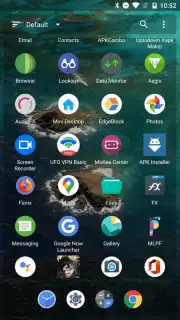
Description Mini Desktop
A Desktop-Class Workspace That Fits in Your Pocket
The modern smartphone is a powerhouse, yet its interface often feels cramped, forcing you to navigate through endless app drawers and home screens. Mini Desktop re-engineers this experience from the ground up, transforming your Android device into a genuine, multi-window desktop environment. It solves the fundamental problem of mobile multitasking and file management by providing a familiar, expansive canvas where productivity and control are paramount. This isn't just a launcher skin; it's a complete paradigm shift for how you interact with your device, delivering the efficiency of a PC with the portability of a phone.
Core Functionality and Analytical Overview
Mini Desktop operates by creating a persistent, resizable desktop layer over your standard Android system. Its core mechanic revolves around free-form window management. You can launch applications in movable, scalable windows, allowing for true side-by-side work—such as having a browser window open next to a notes app or a messaging client. The app includes a fully functional start menu for accessing all installed applications and a system tray for quick settings and notifications, mirroring the logical structure of a desktop OS. A dedicated file manager is integrated directly into this environment, providing detailed control over your device's storage with a column view and robust file operations. The level of customization is extensive, from theming the visual style of windows and taskbars to setting precise behaviors for window snapping and focus.
Key Advantages and User Experience
The primary strength of Mini Desktop is its uncompromising approach to utility and user autonomy. The interface is clean, responsive, and prioritizes function over flashy animations, resulting in a system that feels both powerful and lightweight. Performance optimization ensures that the desktop environment runs smoothly even on devices with modest specifications, a critical consideration for an app in this category. The user experience is defined by its predictability and control; every element behaves as you would expect from a desktop, reducing cognitive load and streamlining workflows. Visually, it offers a professional, no-nonsense aesthetic that can be tailored without sacrificing clarity or responsiveness.
- True Multi-Window Multitasking: Run apps in free-floating, resizable windows for genuine parallel workflow.
- Integrated Desktop File Manager: Navigate and manage files with a powerful, column-view explorer directly on your desktop.
- Fully Customizable Interface: Personalize themes, window styles, taskbar behavior, and system sounds to your preference.
- PC-Like Start Menu & System Tray: Access all apps and system controls through a familiar and efficient menu structure.
- Lightweight and Efficient Engine: Designed for stability and smooth performance without draining battery life excessively.
We suggest trying Mini Desktop if you've ever felt constrained by your phone's standard interface and yearn for a more powerful, organized way to work and play.
Download mobile app now
Heads up: you'll need wifi for initial setup and downloading themes. Some advanced customization features are extra.
Information
| Version | 3.0.25 |
| Developer | AtomicAdd Team |
| Requirements | Android Android + 4.1, 4.1.1+ |
| Updated | 17.03.2026 |
| Size | 434.42 KB |
| Package | com.atomicadd.tinylauncher |
| Signature | e695ef6acdc8f1cd39a3d311b5418ed8 |
| Architecture | universal |


