


Miracast Shortcut screenshots (7)
Description Miracast Shortcut
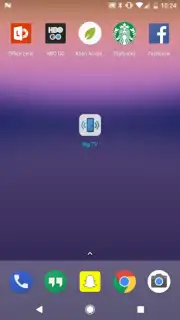
What if you could bypass your device's clunky menus and cast your screen in a single tap?
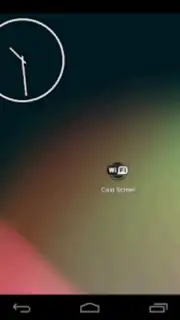
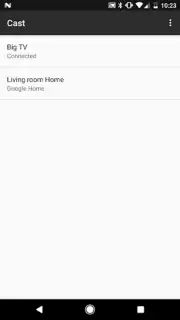
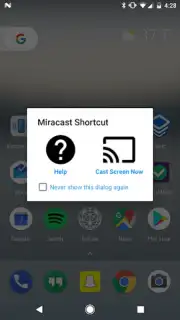
Miracast Shortcut provides a direct, system-level utility for Android devices that support Miracast wireless display technology. The application functions as an overlay, placing a persistent or accessible button on your screen that triggers the native screen casting function. This eliminates the need to navigate through the Settings menu or the quick settings panel each time you want to connect to a TV, monitor, or projector. The core mechanic is one of streamlined access, reducing a multi-step process into a single action. For users who frequently present, share media, or mirror their device's display, this tool prioritizes efficiency and reliability over complex feature sets.
The app's primary advantage is its reduction of friction in a common system task. It operates with minimal permissions, focusing solely on activating the built-in Android casting dialogue. The user experience is defined by its simplicity and speed, offering configurable options for the shortcut's appearance and behavior to suit different workflows. Performance is tied directly to the stability of your device's own Miracast implementation and network conditions, as the app acts as a trigger for the OEM's hardware and software.
Core Functionality
- Instantly activate the built-in wireless display menu from any screen.
- Place a customizable floating button for one-tap screen mirroring access.
- Configure automatic connection to trusted, previously paired devices.
- Bypass multiple layers of system settings to save time and effort.
- Lightweight utility that runs without draining significant device resources.
Download the Miracast Shortcut mobile app now and experience the fastest way to cast your screen. This streamlined tool is available for immediate setup—get exclusive access today and eliminate menu navigation for good.
Disclaimer: This application requires an internet connection for device discovery and communication. It functions as a shortcut to your device's native capabilities and does not contain in-app purchases. Use is subject to your device's hardware compatibility with Miracast/Wi-Fi Direct technology. Data usage may apply during screen mirroring sessions. This utility may not be available on all Android devices or versions.
Information
| Version | 3.1 |
| Developer | Matt Garnes |
| Requirements | Android Android + 4.3+ |
| Updated | 17.03.2026 |
| Size | 1.37 MB |
| Package | com.mattgmg.miracastwidget |
| Signature | 59b521319b9249e506ac33a0ca8a4054 |
| Architecture | universal |


