


ML Manager screenshots (9)
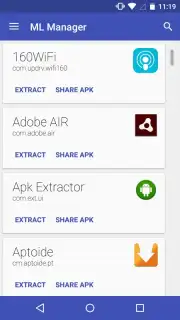
Description ML Manager
Take Full Control of Your Android Apps with Unmatched Simplicity
ML Manager redefines app management by stripping away all complexity, delivering a powerful suite of tools through an interface so intuitive that mastery feels instantaneous. This is the utility that transforms how you interact with every application on your device, putting comprehensive control into a single, elegantly designed hub. Whether you're a seasoned power user looking to streamline workflows or a newcomer seeking a frustration-free experience, this manager provides the clarity and functionality to handle any task with confidence.
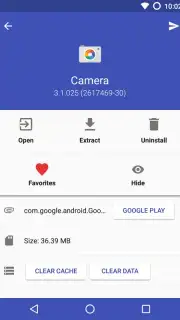
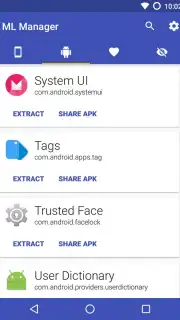
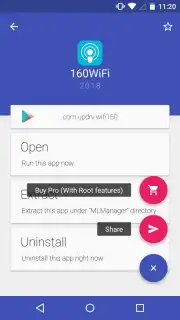
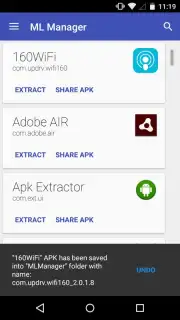
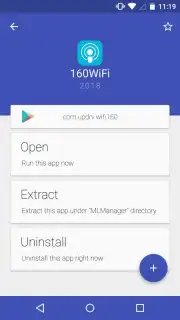
Beyond its accessible design, ML Manager operates as a full-featured command center for your applications. It enables you to extract and create standalone APK installation files from any app, whether installed on your device's internal storage or an external SD card. This foundational feature is perfect for creating personal backups, simplifying reinstallation processes, or sharing apps directly with friends. The manager further enhances daily usability by allowing you to bookmark favorite apps for instant access and organize your entire library with custom sorting, eliminating the need to dig through folders. Every action is optimized for speed and efficiency, ensuring you spend less time managing and more time using your applications.
- Extract and backup APK files from any installed application on your device.
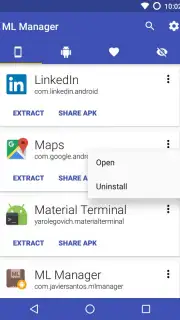
- Share apps instantly via direct links or by sending the APK file to cloud services.
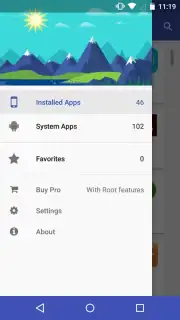
- Bookmark your most-used apps for one-tap access from a dedicated section.
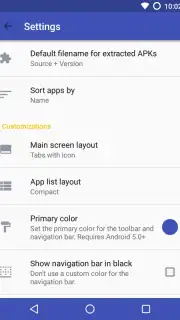
- Fully customize your app library with multiple sorting and view options.
- Enjoy a completely ad-free experience with a streamlined, focused interface.
We suggest trying ML Manager to experience a new level of clarity and control over your Android device. Consider downloading it now to seamlessly back up, organize, and share your applications.
Heads up: you'll need wifi for sharing features and cloud backups. Some advanced organizational tools are part of the premium experience.
Information
| Version | 5.0 |
| Developer | Javier S. |
| Requirements | Android Android + 5.0+ |
| Updated | 17.03.2026 |
| Size | 3.79 MB |
| Package | com.javiersantos.mlmanager |
| Signature | e01b15a9d4b1212430b28da04f7a2ec1 |
| Architecture | universal |


