


MobiOffice screenshots (7)

Description MobiOffice
Imagine you’re on a train, miles from your desk, and a crucial document needs your attention right now. Your laptop is back at the office, but your phone is in your hand. That moment of panic—searching for an app that can actually handle a real spreadsheet or a formatted report—is completely eliminated with MobiOffice. This isn't just another viewer; it’s a full, powerful office suite built for your Android device, putting a complete desktop-level toolkit directly in your pocket. You can finally edit that proposal, analyze that data, or polish that presentation from anywhere, with a smooth, professional workflow that feels designed for how you actually work on the go.
Your Complete Mobile Office, Truly Unleashed
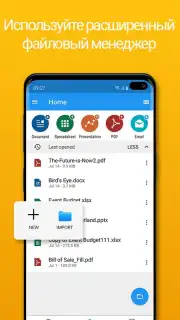
MobiOffice redefines what’s possible on a mobile device by merging a robust word processor, a capable spreadsheet editor, a dynamic presentation maker, and a professional-grade PDF tool into one seamless application. Forget juggling four different apps and dealing with frustrating compatibility issues. Here, everything connects. You start a document on your morning commute, tweak a chart during your lunch break, and annotate a PDF in the evening—all within the same, intuitive environment. The experience is fast, fluid, and entirely focused on your productivity, stripping away the clutter to give you exactly the tools you need, precisely when you need them.
A Deep Dive into the Features That Change Everything
This is where MobiOffice separates itself from the crowd. It’s not about basic functionality; it’s about delivering a comprehensive, professional-grade suite.
-
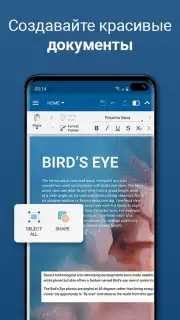
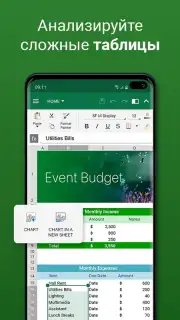
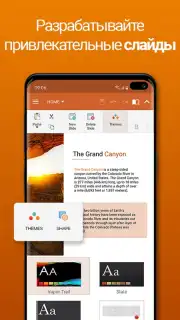
Universal Document Powerhouse: Step into a unified workspace where DOCX, XLSX, PPTX, and PDF files coexist perfectly. The word processor gives you full control over formatting and styles for documents, resumes, and letters. The spreadsheet module isn't just for viewing; it supports complex formulas, lets you create insightful charts, and offers tools to sort and analyze your data on the fly. The presentation creator empowers you to build visually stunning slides with transition effects, embedded images, and graphics, ensuring your ideas always look their best.
-
Flawless Microsoft Office Compatibility: Ever sent a file from a mobile app only to have the formatting look completely broken on a desktop? That headache ends here. MobiOffice ensures perfect two-way compatibility with Microsoft Word, Excel, and PowerPoint. You can edit a budget spreadsheet on your phone and know it will open correctly on your colleague's laptop, with every formula and chart intact. This seamless compatibility is the cornerstone of professional, worry-free collaboration.
-
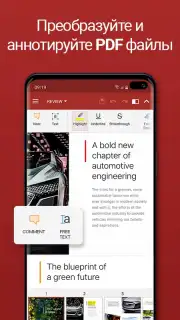
The Integrated PDF Editor You’ve Been Missing: While other apps make you download a separate tool for PDFs, MobiOffice builds it right in. This is a full editor, not just a reader. You can highlight crucial text, add sticky-note comments, insert digital signatures for approvals, and even convert PDF files into editable Word documents. Need to compress a large file for email, merge several reports, or split a contract into sections? You can do it all without ever leaving the app.
-
Security and Offline Freedom: Your documents are sensitive. MobiOffice gives you direct control by allowing you to password-protect any file with important information. Furthermore, your work is processed locally on your device by default, significantly reducing risks associated with cloud servers and keeping your data firmly in your hands. This local focus also enables true offline mastery. Open, edit, and save documents anywhere—on a plane, in a basement, or in the countryside. All changes save locally and sync automatically to your linked cloud services once you're back online.
-
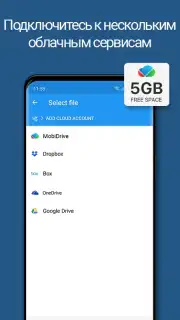
Cloud Connected, Perfectly Synced: For when you do want to collaborate or access files everywhere, MobiOffice integrates directly with Google Drive, Dropbox, OneDrive, and other services. This means your documents are always up-to-date across all your devices. Start a draft on your tablet, add feedback from your phone, and finalize it on your computer. The ecosystem works for you, making your workflow beautifully continuous.
Why MobiOffice Becomes Your Essential Tool
- All-in-One Solution: Eliminates app overload by combining word processing, spreadsheets, presentations, and PDF editing in a single, optimized package.
- Professional-Grade Output: Create and edit complex documents with confidence, thanks to deep feature sets and full format compatibility.
- Unmatched PDF Toolkit: Read, annotate, sign, convert, compress, and manipulate PDF files without needing any external applications.
- Work Truly Anywhere: Full offline functionality means your productivity never depends on a Wi-Fi signal or mobile data connection.
- Enterprise-Level Security: Protect confidential work with document-level passwords and local file processing for enhanced privacy.
- Seamless Cloud Synchronization: Keep your work flowing across devices with smooth integration into the cloud storage services you already use.
Ready to transform your Android device into a portable power desk? For a limited time, new users can get exclusive access to the full MobiOffice experience. This is your chance to ditch compromised mobile office apps forever. Download MobiOffice now and unlock professional productivity today!
Download the MobiOffice mobile app now!
Disclaimer: Requires an internet connection for initial download, cloud service synchronization, and certain online features. The app may contain in-app purchases for premium features or subscriptions. Please check the product listing for specific age ratings and data privacy details. Network charges may apply for downloads and cloud syncing.
Information
| Version | 16.2.59203 |
| Developer | MobiSystems |
| Requirements | Android Android + 9+ |
| Updated | 17.03.2026 |
| Size | 154.37 MB |
| Package | com.mobisystems.office |
| Signature | 7beaa4f8136836cdcf61d92bcd0a6eb5 |
| Architecture | armeabi-v7a, arm64-v8a, x86_64 |


