

MochiCloner screenshots (13)

Description MochiCloner
Unlock Multi-Account Management and App Duplication on a Single Device
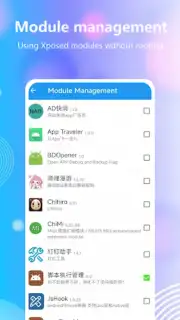
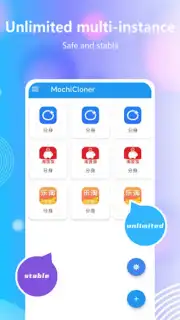
MochiCloner provides a direct technical solution for creating independent, operational copies of any application installed on your Android system. This functionality enables users to run multiple instances of a single app simultaneously, facilitating separate account management for social platforms, messaging services, and games without the need for secondary devices or constant profile switching. The core process generates a modified APK file for installation, effectively creating a parallel, standalone version of your chosen application.
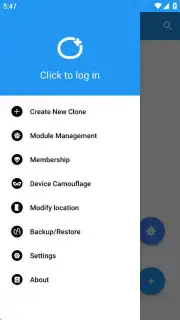
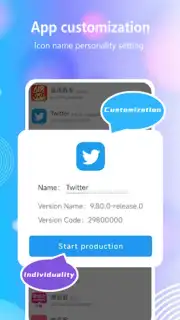
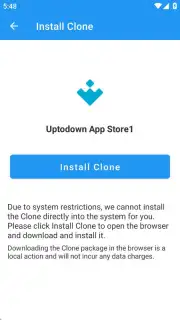
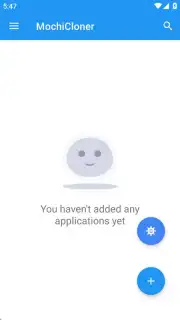
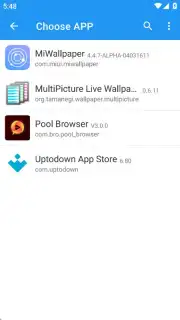
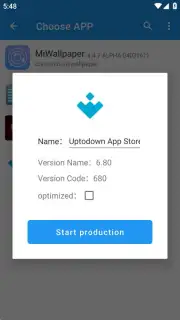
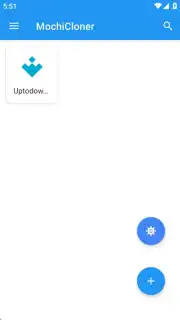
The cloning procedure is initiated through a structured menu within the MochiCloner interface. Users select a target application from a comprehensive list of installed software, assign a distinct identifier to the new clone, and initiate the build process. The tool then prepares a modified installation package, which is deployed through the standard Android package installer. For devices with elevated system permissions, the operation is significantly streamlined. Rooted devices or those running the Shizuku service benefit from an integrated installation workflow, eliminating intermediary download steps and allowing direct management of cloned instances from within the MochiCloner environment.
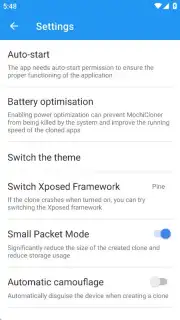
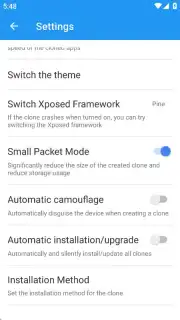
An optional premium subscription tier extends the application's capabilities beyond basic cloning. This upgrade removes all advertising modules from the MochiCloner interface and unlocks advanced customization tools. Premium users gain access to icon modification for cloned apps, automated update mechanisms for cloned instances, and a device spoofing feature. This spoofing function can alter device profile data presented to cloned applications, which may be required for specific software compatibility or testing scenarios.
Core Functionality and Operational Features
- Generate multiple independent copies of any installed Android application for parallel usage.
- Manage separate login profiles for social media, gaming, and communication apps on one device.
- Utilize a streamlined, menu-driven cloning process with custom naming for each new instance.
- Enable direct, in-app installation and management of clones on rooted or Shizuku-enabled devices.
- Activate premium features for ad-free use, custom clone icons, auto-updates, and device masking.
Extended Technical Capabilities and Considerations
The utility of MochiCloner extends to scenarios requiring environment separation or software testing. It is crucial to obtain the application only from its official distribution channels to ensure file integrity. Modified APK files from unofficial sources that lack the original developer signature can pose security risks and should be avoided. The application performs as a utility for APK modification and does not inherently modify the core functionality of the original applications it clones.
Download the MochiCloner APK file immediately to configure multiple app instances and streamline your mobile workflow!
Disclaimer: This application requires an internet connection for initial download and certain functions. It offers in-app purchases for a premium subscription. Use of this tool to clone applications may be subject to the terms of service of the original applications. Some features require root access or the Shizuku service. The device masking feature alters device identification data. User discretion is advised regarding account policies of cloned apps. Data usage applies for downloads. This utility is intended for technical users.
Information
| Version | 2.7.2 |
| Developer | MochiCloner Team |
| Requirements | Android Android + 8.0+ |
| Updated | 17.03.2026 |
| Size | 56.63 MB |
| Package | com.jy.x.separation.manager |
| Signature | 8da87d8e7606a22e22381558332fd7d5 |
| Architecture | armeabi-v7a, arm64-v8a |


