


Mopria Print Service screenshots (2)
Description Mopria Print Service
Universal Wireless Printing for Android Devices
Mopria Print Service transforms any Android smartphone or tablet into a direct wireless printing terminal, eliminating the need for manufacturer-specific applications. This utility establishes a standardized connection layer between your device and over 120 million printers from major brands, turning complex setup procedures into a single-tap operation. By implementing the universal Mopria standard, the service bypasses driver incompatibilities and provides a consistent interface for document and photo output across home, office, and public printing environments.
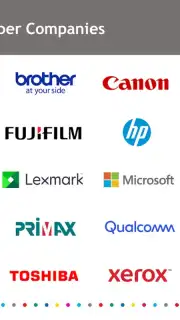
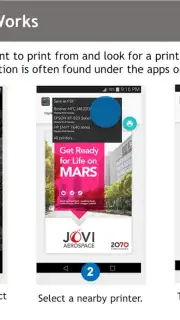
The core functionality operates through seamless discovery and one-touch printing. Once the application is installed, it integrates with the standard Android print framework, appearing as a system-level option whenever you select 'Print' from any application. The service automatically scans the local network for compatible printers from supporting brands including Epson, Canon, Brother, HP, Xerox, Samsung, and Konica Minolta. The printing process itself is designed for minimal steps: after selecting the Mopria service and choosing a discovered printer, you can adjust key parameters such as page range, copy count, color mode, and paper size before sending the job directly to the printer's queue.
Beyond basic document printing, the service supports advanced file handling and sharing protocols. Users can print content directly from cloud storage services, email attachments, or local file managers without first opening the file in a dedicated app. The system also facilitates document sharing by allowing you to generate a print-ready file and distribute it via email or messaging applications directly from the print preview interface. This integration means that printing or sharing a web page, PDF, office document, or gallery photo follows an identical, streamlined workflow regardless of the source application's native capabilities.
- Achieve direct wireless printing from any Android app using the standard print menu.
- Automatically detect compatible printers from major brands on your local Wi-Fi network.
- Configure print jobs with settings for color, paper size, orientation, and multiple copies.
- Output documents and photos without installing individual printer manufacturer apps.
- Share files easily via email or other apps directly from the print preview interface.
Get your documents from screen to paper in seconds. Download the Mopria Print Service app now and activate universal printing on your Android device.
Disclaimer: This service requires an active internet connection for initial setup and printer discovery. Printing functionality depends on a compatible printer connected to the same local Wi-Fi network as your Android device. The app is free to use and does not contain in-app purchases.
Information
| Version | 2.20.5 |
| Developer | Mopria Alliance |
| Requirements | Android Android + 13+ |
| Updated | 17.03.2026 |
| Size | 19.7 MB |
| Package | org.mopria.printplugin |
| Signature | f345b78c1d949738fc1a6fda67db3741 |
| Architecture | armeabi-v7a, x86, arm64-v8a, x86_64 |


