


Move to iOS screenshots (7)
Description Move to iOS
The Android Migration Dilemma
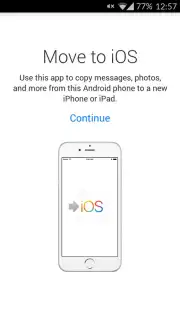
Switching from an Android device to an iPhone or iPad presents a common logistical challenge: transferring years of accumulated personal data. Manually moving contacts, messages, and media is a tedious and error-prone process. Apple's Move to iOS app is a dedicated utility designed to automate this migration, establishing a direct, encrypted connection between the two operating systems to transfer content without using cloud storage as an intermediary. This review examines the mechanics, scope, and practical application of this official data transfer tool.
Core Functionality and Transfer Process
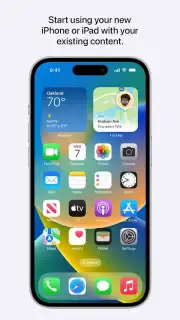
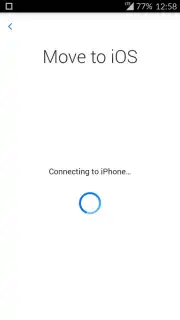
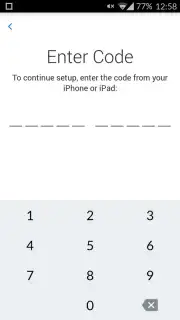
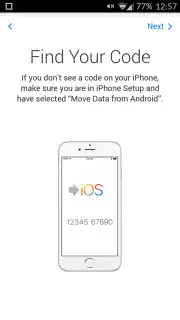
The application operates by creating a private, peer-to-peer Wi-Fi network between the Android device and the new iOS device. During the initial setup of the iPhone or iPad, when prompted to move data, selecting "Move Data from Android" generates a unique, one-time security code. This code is entered into the Move to iOS app on the Android device to pair the two and initiate an encrypted transfer session. The process is designed for a one-time migration event and is not intended for ongoing syncing. It systematically copies designated data categories, placing them into their corresponding native apps on the iOS device, such as Contacts, Photos, and Calendar.
Analysis of Key Features
The utility’s value is defined by its specific transfer capabilities and user-controlled parameters.
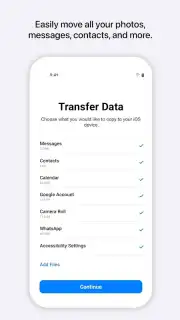
- Comprehensive Data Category Transfer: The tool migrates core data types including contact lists, message history, photo and video libraries, email account settings, and calendar events. It also includes functionality to transfer content from WhatsApp, moving chat history and media.
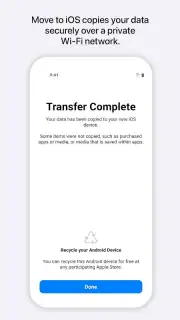
- Encrypted, Direct Wireless Transfer: All data is moved directly from device to device over an encrypted connection, eliminating the need for intermediary cloud backups and reducing potential security exposure during the transfer window.
- Selective Content Migration: Users can review and select specific data categories to transfer. This allows for the exclusion of unwanted content, such as old photo albums or certain calendar entries, ensuring the new device is populated only with intended data.
The process requires both devices to be connected to power, have sufficient battery charge, and remain in close proximity with Wi-Fi and Bluetooth enabled for the duration of the transfer, which varies based on data volume.
Final Assessment
Move to iOS serves a singular, critical function within the device ecosystem. Its effectiveness lies in its official support from Apple, providing a structured and secure pathway for data migration that manual methods lack. For users transitioning ecosystems, it systematically addresses the primary barrier to switching by automating the most cumbersome aspect of the setup process.
Download the Move to iOS mobile app now and execute your device transition with precision. Begin using your new iPhone immediately without data loss or manual reconstruction.
Heads up: you'll need wifi for most features. Some cool stuff is extra.
Information
| Version | 4.0.3 |
| Developer | Apple |
| Requirements | Android Android + 6.0+ |
| Updated | 17.03.2026 |
| Size | 9.96 MB |
| Package | com.apple.movetoios |
| Signature | 34b64f26220ea050bf5cdc96b07febd5 |
| Architecture | universal |


