

MT Manager screenshots (8)
Description MT Manager
A Comprehensive File Management and APK Modification Suite for Advanced Android Users
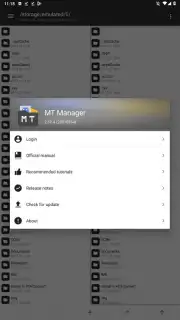
MT Manager is a specialized utility application that consolidates advanced file system control with deep APK modification capabilities, primarily targeting users with rooted Android devices. Its functionality extends beyond a conventional file manager, operating as a integrated toolkit for users who require direct interaction with system files and application packages. The application's design presupposes a technical understanding of the Android operating system's structure, as its core features are unlocked with superuser (root) permissions. Without these permissions, access is restricted to basic file operations and non-system directories, significantly limiting the tool's intended utility.
Core Functional Analysis
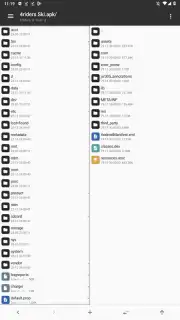
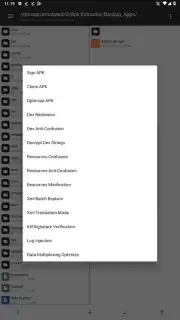
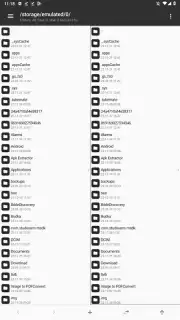
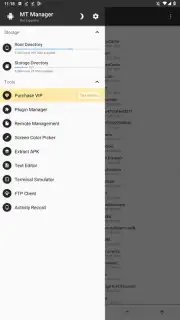
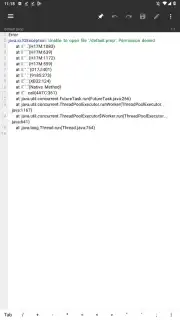
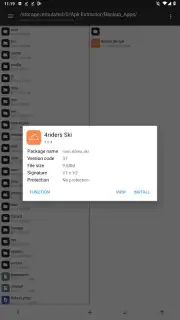
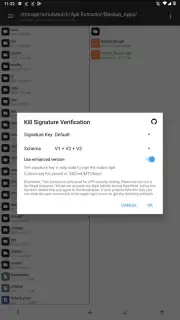
The application operates in two primary, interconnected modes: as a privileged file system explorer and as a dedicated APK editor. With root access, the file manager component provides unrestricted navigation through the entire device directory tree, including normally protected system folders. It allows for direct modification of file permissions, ownership, and the mounting of partitions. This level of access is foundational for its second function. The APK editing suite enables users to decompile, inspect, and modify application package files. It provides direct editors for critical components including DEX bytecode, compiled XML resources, and the ARSC resource table. Modifications can range from simple string translations and asset replacement to more complex code alterations for disabling signature checks or removing specific components.
Beyond these primary functions, MT Manager includes a suite of auxiliary tools for handling compressed archives, text files, and network protocols. It can create and extract standard ZIP archives with the added capability of browsing their contents directly without full extraction. The integrated viewer supports common image and audio formats, and a text editor is included for scripting or configuration files. For data transfer, the application supports initiating FTP connections from the device. A notable operational aspect is the application's own clean interface, which is maintained without advertising banners, relying on a licensing model for full feature access.
Detailed Feature Breakdown
- Privileged File System Navigation with full read/write access to root directories and system partitions on rooted devices.
- Direct APK Decompilation and Editing tools for modifying DEX bytecode, XML layouts, and the ARSC resource table.
- Application Package Optimization features including cloning, signature management, and removal of redundant files to save space.
- Integrated Archive Utility for browsing, creating, and extracting ZIP files without requiring a separate standalone app.
- Multi-format File Viewer and Editor for images, audio, text documents, and executable shell scripts.
This toolset is unequivocally designed for developers, modders, and technically proficient enthusiasts. Incorrect use of the system modification features carries a high risk of causing application failures or rendering the device unstable. Users must have a clear understanding of their actions when altering system files or application packages. For those with the requisite technical knowledge, it provides a powerful, all-in-one workstation for Android system management and app modification.
We suggest trying MT Manager if you require deep system access and APK editing capabilities on a rooted Android device.
Download mobile app now.
Disclaimer: This application requires a stable internet connection for initial license verification and certain functions. Full feature access may require a premium upgrade via in-app purchase. Use of advanced modification features carries inherent risk of system instability.
Information
| Version | 2.26.2 |
| Developer | Lin Jin Bin |
| Requirements | Android Android + 5.0+ |
| Updated | 17.03.2026 |
| Size | 27.49 MB |
| Package | bin.mt.plus |
| Signature | 1a32f661095560285c0f7ea0b521cb45 |
| Architecture | armeabi-v7a, x86, arm64-v8a, x86_64 |


