

My Files screenshots (5)
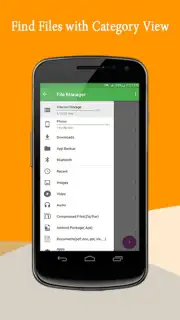
Description My Files
Your Phone, Finally Organized
Imagine opening your phone's storage and finding every document, photo, and download exactly where you expect it. No more frantic searches, no more duplicate files cluttering precious space. My Files transforms the chaotic digital drawer of your Android device into a streamlined, intuitive library, putting definitive control back into your hands. It’s the clarity you’ve been missing in your daily digital routine.
Core Functionality: A Unified File Command Center
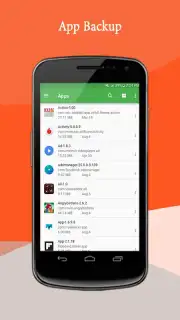
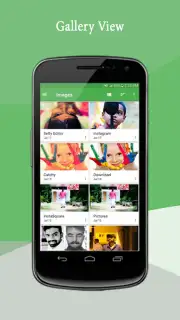
This tool acts as a comprehensive manager for all your internal storage, SD card contents, and cloud connections. The interface presents a clean, categorized view from the start, separating Downloads, Images, Audio, Videos, Documents, and Apps into dedicated sections for immediate navigation. Beyond simple browsing, it provides robust tools for batch operations, allowing you to select and move, copy, compress, or delete multiple items with a few taps. A built-in analyzer gives you a visual breakdown of storage usage, clearly identifying which file types are consuming the most space so you can make informed decisions about what to keep.
Key Operational Advantages
The application’s strength lies in its straightforward efficiency and user-centric design.
- Effortless File Transfers: Seamlessly move or copy content between local storage, external SD cards, and linked cloud accounts without leaving the app.
- Integrated File Viewer & Player: Open and preview common document formats, images, and media files directly within the application, eliminating the need to switch between apps.
- Smart Storage Cleaner: Quickly identify and remove residual files from uninstalled apps, empty folders, and temporary caches to reclaim storage space instantly.
Download My Files Now
Stop wrestling with disorganized storage. This is your exclusive access to a cleaner, faster, and more manageable phone. Install My Files today and experience the immediate relief of a perfectly ordered digital world.
Heads up: you'll need wifi for cloud storage features. Some advanced cleanup and analysis tools are part of the extra feature set.
Information
| Version | 23 |
| Developer | VIJAYAKUMAR M |
| Requirements | Android Android + 4.0, 4.0.1, 4.0.2+ |
| Updated | 17.03.2026 |
| Size | 4.51 MB |
| Package | com.vj.filemanager |
| Signature | 898aa44a1b5f8afe7a695879d3038d7e |
| Architecture | universal |


