

My Photo Keyboard screenshots (7)
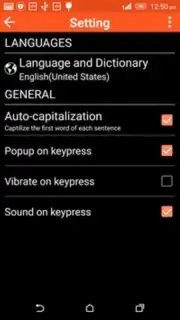
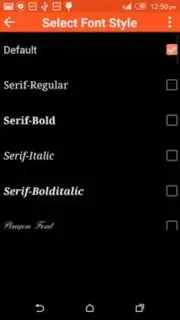
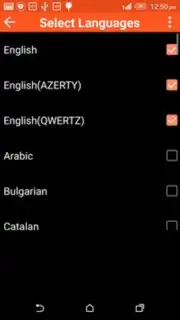
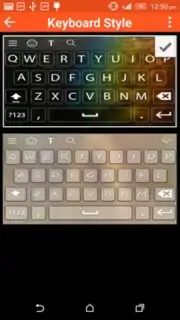
Description My Photo Keyboard
Want to make your messages as unique as your photos? Transform your keyboard into a personal gallery with My Photo Keyboard.
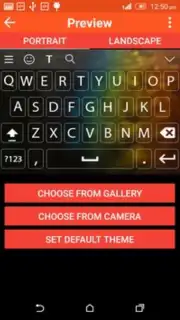
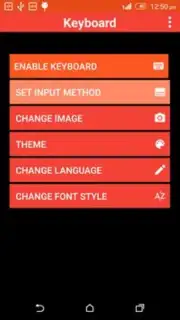
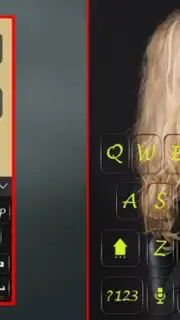
This app replaces your standard keys with a fully customizable background from your own photo library. You can select any image, adjust its positioning and transparency for optimal key visibility, and apply it across your entire device. The toolset includes a live preview to fine-tune your layout before applying, support for multiple keyboard styles, and one-touch switching between your custom theme and the default keyboard. It integrates directly with your system input method, allowing for personalized typing in any messaging or social media app.
Core Functionality
The primary function is direct keyboard personalization. You are not just applying a static wallpaper; you are configuring an interactive input tool.
- Direct Gallery Integration: Import photos directly from your device's gallery or camera roll to use as keyboard backgrounds.
- Precision Editing Tools: Adjust image scale, position, and opacity sliders to ensure text on keys remains clear and legible.
- System-Level Application: Once enabled in your device settings, the custom keyboard works globally across all apps that use the standard keyboard interface.
Key Advantages
The utility lies in its specificity and system integration, moving beyond simple theming apps.
- Global App Compatibility: The personalized keyboard theme functions in messaging apps, browsers, note-taking apps, and any other application that calls the system keyboard.
- Non-Intrusive Performance: The keyboard operates without requiring excessive permissions, focusing solely on theming without accessing your typed content.
- Immediate Visual Feedback: The live preview panel shows exactly how your chosen photo will look with the key overlay before you commit to the change.
Consider downloading My Photo Keyboard to add a personal visual signature to every message you send.
Heads up: you'll need wifi for the initial download and setup. Some advanced theme packs are extra.
Information
| Version | 1.0 |
| Developer | Geron Multimedia |
| Requirements | Android Android + 3.0.x+ |
| Updated | 17.03.2026 |
| Size | 8.73 MB |
| Package | com.uptodown.myphotokeyboard |
| Signature | e89b158e4bcf988ebd09eb83f5378e87 |


