

Simple Notepad screenshots (8)
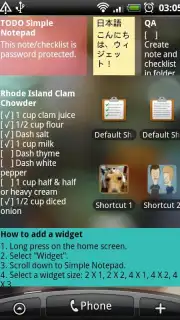



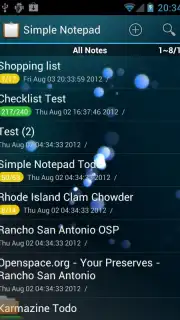
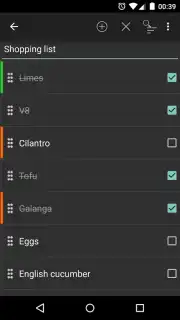


Description Simple Notepad
The Note-Taking Market is Overcomplicated. This App Fixes That.
The digital note-taking space is saturated with applications that promise to organize your life but often end up complicating it with excessive features, subscription tiers, and intrusive interfaces. For the core task of quickly capturing, storing, and retrieving plain text, most solutions are over-engineered. Simple Notepad stands in direct opposition to this trend. It is a focused, minimalist tool engineered for one purpose: to be the fastest, most reliable digital notepad available. Its distinction isn't in what it adds, but in what it deliberately omits, creating an environment of pure productivity without distraction. This application redefines utility by stripping away everything non-essential, positioning itself as the definitive tool for users who value speed and simplicity over bundled feature bloat.
Core Functionality and Cross-Platform Synergy
At its heart, Simple Notepad operates with a singular, efficient mechanic. You create a note, which is a plain text file, and it is saved instantly. Each note can be tagged with custom keywords, transforming a simple list into a searchable, categorized database. This tagging system is robust yet unobtrusive, ensuring that even hundreds of notes remain instantly accessible. The true technical achievement, however, is its seamless synchronization architecture. The app provides native clients for iOS, Android, Mac, Linux, and web browsers, all linked through a single user account. A note created on an Android phone is editable seconds later on a Mac desktop or within a browser tab, with no manual export or import steps required. This universal accessibility makes it a consistent and reliable hub for thoughts across every device in your ecosystem.
Beyond basic note storage, Simple Notepad incorporates several powerful, understated features that enhance its utility without compromising its clean interface. It maintains version history for text files, allowing you to review and revert to earlier drafts—a critical function for editing longer pieces of text. For collaborative work, it supports real-time co-editing, enabling multiple users to work on the same note simultaneously, with changes reflected live for all participants. Furthermore, any note can be published to the web with one click, generating a unique, private URL hosted on mightyfrog.org servers. This is ideal for sharing drafts, creating simple public lists, or distributing information without requiring recipients to have the app installed.
Operational Advantages and User Experience
The developer, mightyfrog.org, has committed to an ad-free experience, which is maintained across all platforms. Performance and user focus are further enhanced by what is termed a "Turbo" mode within the application's infrastructure, ensuring near-instantaneous save, sync, and search operations regardless of note volume. The interface is consistently sparse and intuitive, applying the same design philosophy from its mobile to its desktop variants. This is not an application that tries to be a word processor, a task manager, or a calendar; it is a digital scratchpad perfected. Its value is measured in milliseconds saved per interaction and in the cognitive relief provided by an interface that demands nothing but your text.
- Universal Synchronization: Access and edit your notes instantly across iOS, Android, Mac, Linux, and web platforms.
- Advanced Text Management: Utilize tagging for organization, version history for drafts, and real-time co-editing for teamwork.
- Instant Web Publishing: Share any note publicly with a single click via a secure, auto-generated URL.
This application eliminates the friction between thought and record. Stop compromising with cluttered alternatives. Get the definitive tool for pure note-taking.
Download Simple Notepad on your mobile device now and experience undistracted productivity.
Internet required. IAP available.
Information
| Version | 2.0.1 |
| Developer | mightyfrog.org |
| Requirements | Android Android + 2.3, 2.3.1, 2.3.2+ |
| Updated | 17.03.2026 |
| Size | 713.3 KB |
| Package | org.mightyfrog.android.simplenotepad |
| Signature | 47f5361765f648577b5573b588198091 |
| Architecture | universal |


