


MyICON screenshots (4)

Description MyICON
Transform Your Phone with a Single Tap
MyICON provides a comprehensive suite of tools to fully customize your Android device's appearance, moving beyond standard themes to offer detailed control over icons, widgets, and system elements. This application addresses the common frustration of generic, unchangeable interfaces by delivering a personalized aesthetic experience directly from your home screen.
Core Customization Tools and Functionality
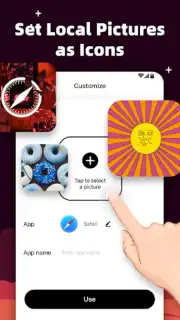
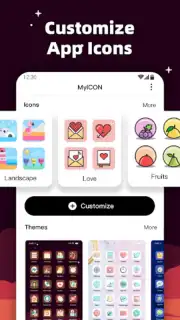
The application operates as a dynamic theme engine and icon pack manager. Users can apply complete visual overhauls from a curated library or utilize advanced editors to craft individual components. The core mechanic involves selecting a style package—which may include coordinated icons, wallpapers, and widget skins—and applying it system-wide with one action. For granular control, the built-in icon editor allows for manual reskinning of any app shortcut, enabling adjustments to shape, color gradient, and overlay effects. A live preview function renders changes in real-time before final application.
Key Advantages and User Experience
The interface is designed for streamlined navigation, separating theme browsing from manual editing tools to reduce clutter. Visual assets are optimized for clarity across various screen resolutions, ensuring icons remain sharp and widgets properly scaled. Performance is maintained through efficient resource management, allowing for extensive theme libraries without significant impact on device storage or battery life during daily use. The system integrates with standard Android launchers, requiring no complex setup or root access for core functionality.
Primary Feature Set
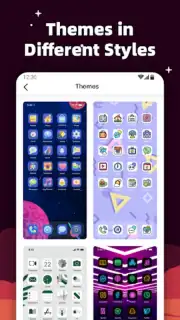
- Apply complete theme packs with matching icons, wallpapers, and widget designs.
- Manually edit individual app icons with custom shapes, colors, and graphical effects.
- Access a regularly updated library of visual styles from minimalist to detailed.
- Utilize a real-time preview screen to test themes before applying them.
- Create and save custom icon sets for quick switching between visual styles.
We suggest trying MyICON to directly control your device's visual identity and refresh your interface effortlessly.
Download mobile app now
Disclaimer: This application requires an internet connection to browse and download theme packs. Some premium theme collections or advanced editing tools may require in-app purchases. The app requests necessary permissions to modify home screen shortcuts and display system. Data usage may apply when downloading content. Please review the terms of service for details on data handling. The developer is not responsible for any launcher compatibility issues.
Information
| Version | 1.2.3 |
| Developer | MagicVaried |
| Requirements | Android Android + 5.0+ |
| Updated | 17.03.2026 |
| Size | 64.52 MB |
| Package | com.myicon.themeiconchanger |
| Signature | 611febf7294052b272bcf94b0a1aeca8 |
| Architecture | armeabi, armeabi-v7a, arm64-v8a |


