

myMail screenshots (7)

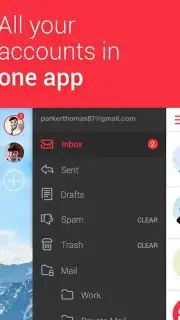

Description myMail
Manage Multiple Email Accounts Without the Inbox Overload
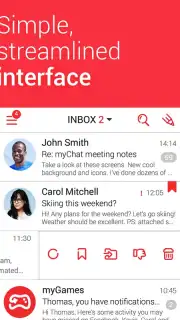
Juggling several email addresses across different providers often leads to a fragmented and inefficient workflow. Switching between apps or browser tabs to check Gmail, Yahoo, and Outlook accounts consumes time and increases the risk of missing important messages. myMail consolidates all your email accounts into a single, streamlined mobile application, eliminating the complexity of multi-inbox management. Its architecture is designed for clarity, transforming what could be a confusing process into a unified and controlled email hub directly on your device.
Core Functionality and Advanced Management Tools
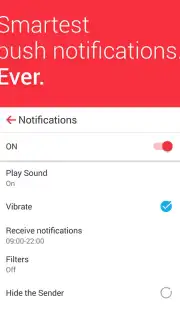
The application provides a complete suite for email handling, built around a practical interface that prioritizes efficient navigation. Beyond fundamental actions like reading, replying, and forwarding messages, it offers granular control over notifications. You can configure alerts to be active or silent based on specific time intervals, the originating email account, or even the sender. This allows for precise management of your attention, enabling you to separate professional correspondence from personal communications according to your schedule.
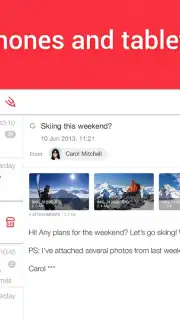
A significant operational advantage is the handling of email attachments. myMail enables you to preview and forward file attachments without the prerequisite of downloading them to your device's local storage, conserving space and streamlining workflow. The application supports attaching multiple image files to an outgoing message in a single action. Furthermore, it incorporates an intelligent search function that indexes and queries content across all linked email accounts simultaneously, allowing you to locate specific information, sender details, or past correspondence from a centralized search field.
The service model removes advertising content from the user experience. Access to accelerated performance and additional premium features is available through an optional Turbo subscription, which enhances overall application speed and functionality.
- Centralize Gmail, Yahoo, Outlook
- Configurable account-specific notifications
- Preview attachments without download
Streamlined Setup for Immediate Use
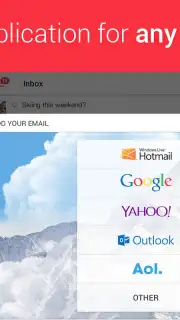
Initiating use of the application requires a straightforward configuration process. You simply select your email service providers from the supported list and authenticate each account by entering the respective username and password credentials. Following this one-time setup, all accounts are synchronized and accessible within the unified inbox, allowing you to immediately begin sending and receiving emails from a single point of control.
Download the myMail app now to unify your communication and reclaim your time.
Internet required. IAP available.
Information
| Version | 15.8.0.88845 |
| Developer | MGL MY.COM (CYPRUS) LIMITED |
| Requirements | Android Android + 7.0+ |
| Updated | 17.03.2026 |
| Size | 123.31 MB |
| Package | com.my.mail |
| Signature | ea8616e14011afc56e1fb6f7918a1d30 |
| Architecture | armeabi-v7a, arm64-v8a |


