

NavStar screenshots (6)
Description NavStar
NavStar is a system-level customization tool that redefines how you interact with your Samsung Galaxy device by placing complete control over the navigation bar in your hands.
This utility, developed by Samsung Corporation, operates exclusively within the company's ecosystem. It provides granular control over the Android navigation bar—the persistent on-screen element housing the Back, Home, and Recent Apps buttons. NavStar version 8.0.00.47 transforms this static system component into a dynamic and fully personalized interface. The application allows users to modify visual aesthetics, from icon sets to transparency, and fundamentally alter functionality through programmable gesture commands and button remapping, offering a tailored user experience that diverges significantly from the stock Android implementation.
Core Functionality and Feature Analysis
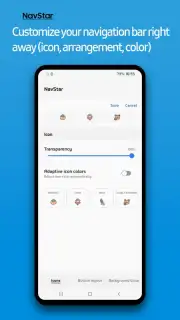
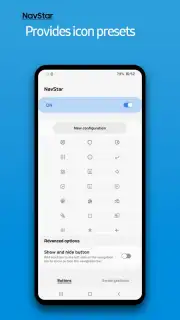
The application's primary function is to decouple the navigation bar from its factory settings. Users are not merely applying a theme; they are engaging in a structural modification of their device's control scheme. The toolset is divided into visual customization and functional overhaul. Visually, every aspect of the bar can be adjusted, including iconography sourced from a built-in library of dozens of designs, background opacity levels, and the implementation of adaptive color matching that syncs icon tints with your current wallpaper. Functionally, the app introduces a layer of gesture-based navigation that can supplement or entirely replace the traditional three-button layout, enabling swipe-based inputs for system commands.
Detailed Feature Breakdown
- Complete Visual Overhaul: Replace default navigation button icons with extensive alternative sets, adjust the panel's transparency, and enable adaptive coloring for seamless integration with your device's wallpaper.
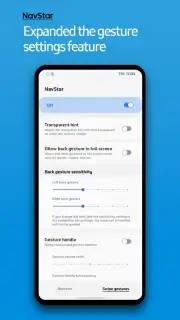
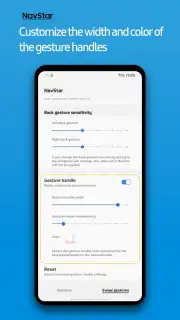
- Gesture Command System: Activate swipe-based navigation to replace physical or on-screen button taps, allowing actions like swiping left to go back or a long-press on the navigation area to return home.
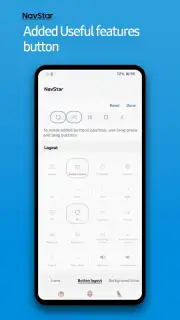
- Advanced Button Remapping: Reassign the function of the standard three buttons or add new, custom buttons to trigger specific applications, system toggles, or multi-action shortcuts directly from the bar.
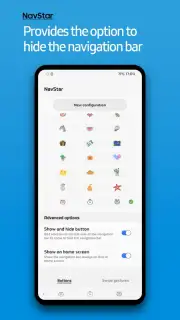
The utility is particularly significant for users seeking to optimize one-handed use or create a cleaner, minimalist interface by hiding the bar and relying solely on gestures. Conversely, power users can expand the bar's utility by adding extra buttons for rapid access to frequent tools. It is a definitive tool for eliminating the generic feel of the navigation system, allowing configurations that range from feature-rich control hubs to an almost invisible, gesture-only interaction model. The absence of advertising within the app ensures an uninterrupted customization process.
Download NavStar for Samsung Today
This is a limited, platform-exclusive offer for Samsung device owners. Gain exclusive access to this level of system personalization and transform your device interaction today only. Download the mobile app now to begin your customization.
Heads up: you'll need wifi for the initial download and to access additional icon packs. Some advanced customization features and gesture packs are extra.
Information
| Version | 8.0.00.47 |
| Developer | Samsung Corporation |
| Requirements | Android API 36+ |
| Updated | 17.03.2026 |
| Size | 7.2 MB |
| Package | com.samsung.systemui.navillera |
| Signature | d087e72912fba064cafa78dc34aea839 |
| Architecture | armeabi-v7a, arm64-v8a |


