

New Launcher screenshots (8)




Description New Launcher
A Home Screen That Adapts to You
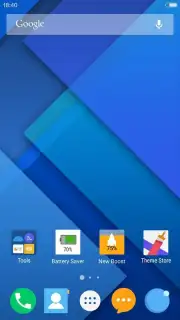
Every Android user reaches a point where the default interface feels restrictive, a grid of static icons that fails to reflect personal workflow or aesthetic preference. The New Launcher addresses this by shifting control from the operating system to the user, transforming the home screen from a passive display into an active, customizable command center. It is designed for those who view their device not just as a tool, but as a primary digital environment requiring efficiency and personal expression.
Core Customization Mechanics
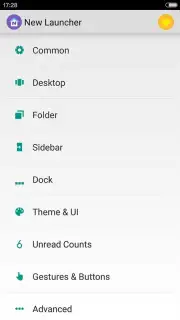
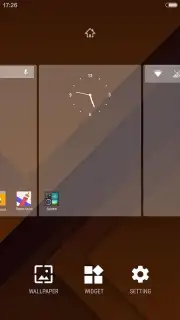
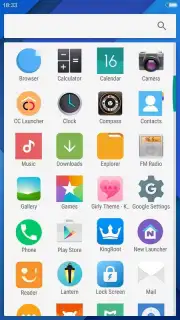
The application functions as a complete replacement for your device's standard launcher system. Upon activation, it provides a layered suite of tools for visual and functional reorganization. The primary mechanics involve widget integration, icon pack application, and gesture-based navigation controls. Users can define custom gestures—such as double-tapping an empty space to lock the screen or swiping down on an icon to open a specific app—creating shortcuts that bypass multiple steps. The launcher manages app drawers, allowing for categorization beyond the standard alphabetical list, and enables the creation of deeply personalized themes that unify wallpaper, icon styles, and system font.
Analytical Feature Breakdown
The utility of New Launcher is defined by its granular control over the Android interface. Performance is centered on reducing friction and increasing information density or accessibility based on user choice.
- Fully Customizable Grid & Layouts: Adjust icon size, folder styles, and the home screen grid density for perfect alignment and spacing.
- Advanced Gesture Control System: Assign actions like launching apps or toggling settings to swipe, pinch, and tap gestures on the home screen.
- Integrated Smart Search & App Drawer: Search contacts, apps, and web directly from the home screen with a customizable, categorized app drawer.
- Comprehensive Theme Engine: Apply cohesive icon packs, modify system font styles, and adjust animation speeds for a unified visual experience.
- Performance-Optimized Design: Engineered for low RAM consumption and smooth operation, even on devices with Android 4.1 and above.
Reclaim Control of Your Interface
Stop adapting to your phone's limitations and start configuring an interface that adapts to you. The detailed level of control offered transforms daily interaction, turning routine tasks into efficient, personalized commands.
Download the mobile app now to begin your customization.
Internet required. IAP available.
Information
| Version | 3.2 |
| Developer | iTop Mobile |
| Requirements | Android Android + 4.1, 4.1.1+ |
| Updated | 17.03.2026 |
| Size | 4.28 MB |
| Package | com.inew.launcher |
| Signature | 6f962061ddc2e2502dadab5a59042d5e |
| Architecture | armeabi, armeabi-v7a, x86, arm64-v8a, x86_64 |


