


NFC Tools screenshots (12)
Description NFC Tools
Unlock Your Phone's Hidden Potential with NFC
Tired of manually toggling settings, sharing contact details one by one, or performing the same routine tasks every day? Your smartphone holds a powerful, often underused capability: Near Field Communication (NFC). NFC Tools harnesses this technology, transforming it from a novelty into a robust utility for automation and seamless data exchange. It turns your device into a powerful programmer for NFC tags, enabling you to create smart triggers and digital business cards with a simple tap.
Core Functionality and User Experience
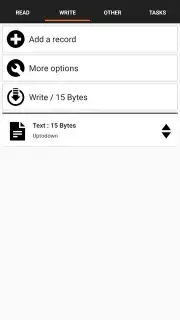
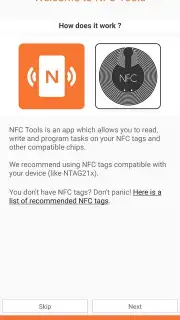
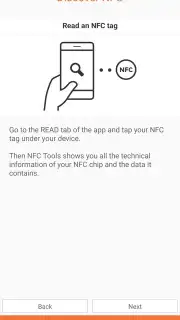
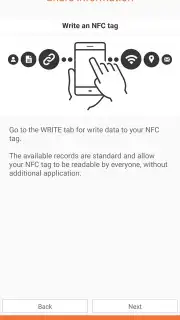
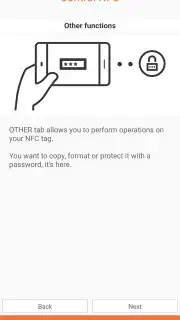
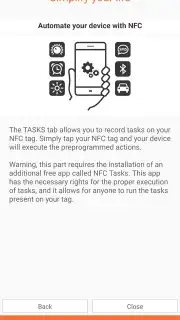
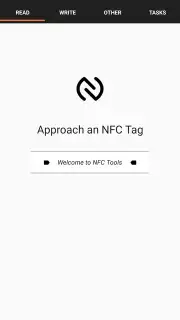
The application serves as a comprehensive suite for interacting with NFC tags. Its primary operations are reading existing tag data, writing new information to blank or rewritable tags, and emulating card behaviors. Upon first launch, an intuitive setup wizard guides you through the core concepts, ensuring you understand how to position your phone and what actions are possible. This foundational tutorial eliminates the initial learning curve, allowing you to move quickly to practical applications.
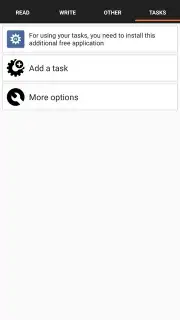
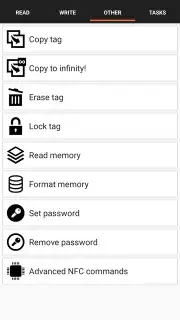
A significant advantage is the ad-free environment, especially when utilizing the Turbo version. This removes distractions and enhances performance, letting you focus entirely on creating and managing your NFC ecosystem. The interface is logically divided into dedicated sections for reading, writing, tasks, and advanced tools, making navigation straightforward even when handling complex commands.
Detailed Feature Breakdown
Effortless Information Sharing
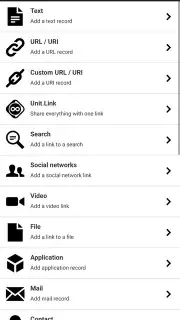
Create dynamic digital business cards by programming NFC tags with your contact details, social media profiles, or website links. The app provides structured templates for vCards (VCF files), allowing you to fill in fields like name, phone numbers, email addresses, and company info. Once programmed, anyone can tap the tag with their NFC-enabled phone to instantly save your details to their contacts, eliminating manual entry errors and speeding up networking.
Advanced Smartphone Automation
Automate virtually any setting or action on your Android device. Program a tag to act as a physical shortcut. Place one in your car to automatically enable Bluetooth, launch your navigation app, and set volume to maximum. Use another on your nightstand to trigger Do Not Disturb mode, set a specific alarm, and lower screen brightness. The app includes a vast library of pre-configured tasks for Wi-Fi, sound profiles, app launching, and system settings, which can be combined into powerful multi-action sequences.
Broad Compatibility and Extended Utility
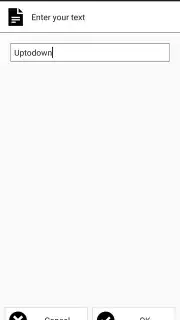
Beyond basic tasks, NFC Tools offers advanced functionalities like reading and decoding the technical data from various NFC tag types, access cards, and public transport tickets. It can write custom URLs, plain text, or geographical coordinates. Notably, the platform supports compatibility with Windows systems via companion software, allowing for tag management and programming directly from your PC, which is ideal for bulk operations or integrated system setups.
- Create and program custom NFC tags
- Automate device settings and actions
- Share contacts and URLs instantly
- Read and decode technical tag data
- Enjoy an ad-free, streamlined interface
- Windows PC compatibility for management
We suggest trying NFC Tools to move beyond your phone's standard capabilities. It provides a tangible, efficient method to interact with your digital world, turning repetitive taps into a single, effortless motion.
Download the NFC Tools mobile app now to begin building your automated environment.
Disclaimer: Application requires an NFC-enabled Android device and internet access for certain features like URL previews. Some advanced features may require a premium upgrade (in-app purchase). The app may not be suitable for all ages due to its technical nature. Data usage depends on tasks performed (e.g., opening web links). Always ensure you have permission to program or read any NFC tags you do not own.
Information
| Version | 9.1 |
| Developer | wakdev |
| Requirements | Android Android + 5.0+ |
| Updated | 17.03.2026 |
| Size | 8.47 MB |
| Package | com.wakdev.wdnfc |
| Signature | a5684a63d5974864cc1c79f73bc1ed1b |
| Architecture | universal |


