

Notes Plus screenshots (6)
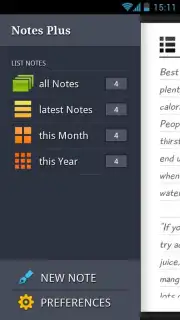

Description Notes Plus
Tired of Scattered Thoughts and Lost Ideas?
In the rush of daily life, capturing a fleeting thought or organizing a critical to-do list shouldn't require a complex system. Standard notepads lack structure, and basic apps often interrupt your flow with ads or clumsy interfaces. Notes Plus by CubeReflect is engineered to eliminate that friction, providing a powerful, intuitive, and deeply customizable note-taking hub directly on your Android device. It transforms your smartphone or tablet into a seamless extension of your mind, ensuring no idea is ever lost and every piece of information is instantly accessible, precisely when you need it.
A Comprehensive Toolkit for Digital Note Management
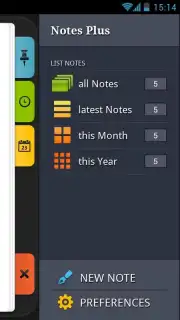
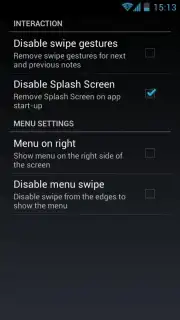
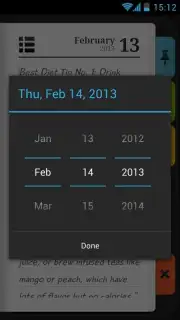
Notes Plus is built on a foundation of robust functionality designed for real-world use. It features automatic background saving, so your text is preserved instantly with every keystroke, eliminating the risk of losing work. The application supports quick-insert templates for the current date and time, streamlining the process of timestamping entries for journals, logs, or meeting minutes. A sophisticated, gesture-driven navigation system allows you to swipe, tap, and hold to access core functions like pinning notes to the top of your list for priority access or swiftly clearing completed items.
Advanced organizational controls include a powerful, system-wide search tool that indexes all your content, enabling you to find any note through a convenient pop-up search menu from anywhere within the app. You can mark notes as favorites for curated quick access and share any note's content directly to other applications on your device. For ultimate control, Notes Plus offers extensive export capabilities, allowing you to back up your notes directly to your device's SD card storage. The integrated home screen widget provides a dynamic portal, letting you view, create, and manage notes without even opening the main application.
Streamlined Interface and Pro-Level Customization
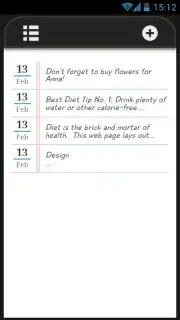
The user experience is crafted for speed and simplicity. An elegantly minimalistic interface ensures you can start typing within seconds. Key actions are optimized for one-handed use, including gesture-based selection and a fully customizable pop-up menu for your most frequent commands. A standout productivity feature is the ability to create a new note directly from the Android notification shade, capturing thoughts without breaking your workflow in other apps.
Personalization is central to the design. You can customize text colors within your notes for visual coding, highlighting, or personal preference. The professional Turbo version removes all advertisements and unlocks an enhanced environment focused purely on productivity, offering additional utility features for power users. Whether you are managing simple lists, complex project notes, or personal journals, Notes Plus adapts to your workflow.
- Gesture-Based Quick Navigation
- Instant Pop-Up Note Search
- Home Screen Widget & SD Export
Download Notes Plus Now!
Stop compromising with inadequate note-taking apps. Transform your Android device into a powerhouse of productivity and organization today. Get it immediately and experience the difference a truly professional, ad-free note manager can make!
Internet required. IAP available.
Information
| Version | 1.0.0 |
| Developer | CubeReflect |
| Updated | 17.03.2026 |
| Size | 606.62 KB |
| Package | com.cubereflect.notesplus |
| Signature | 7cc54b143693e22918a18a0e2adc9a41 |


